Level 2
September 29, 2022
Solved

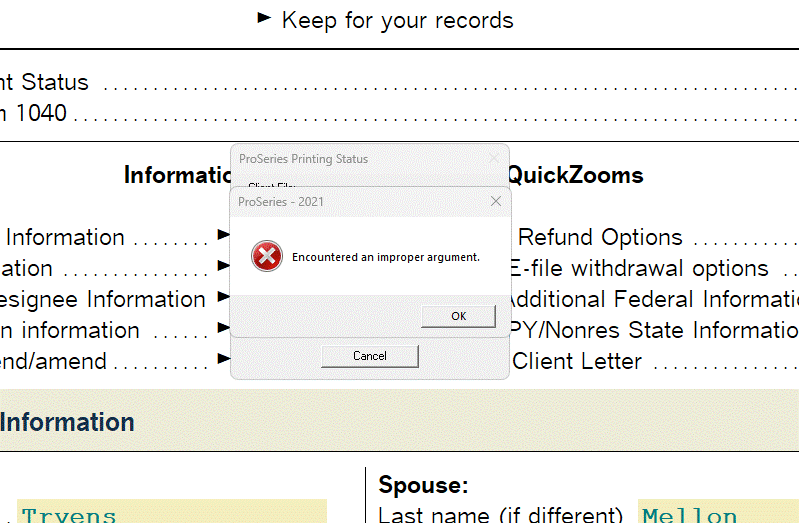
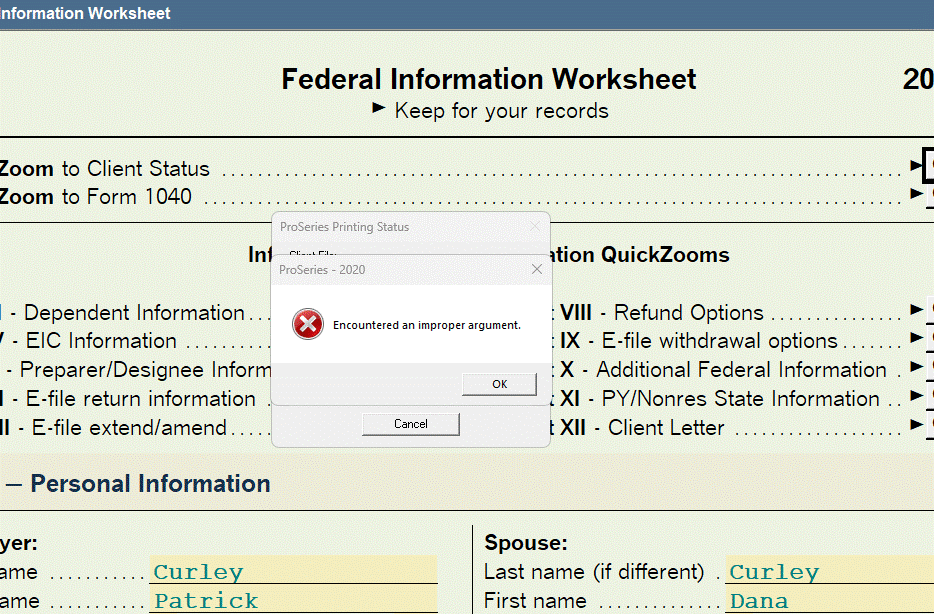
ProSeries Error Message - "Encountered an improper argument'

  • September 29, 2022
  • 12 replies
  • 142 views

Good evening,

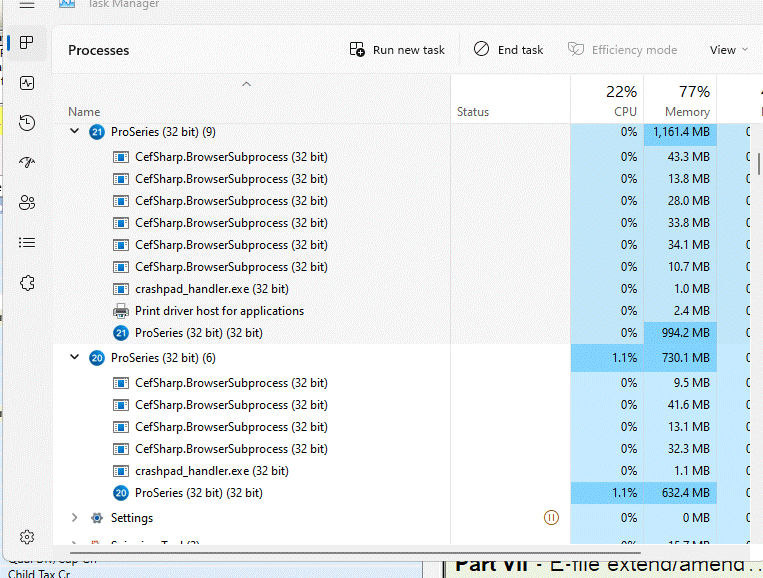
A few days ago I started receiving the error message "Encountered an improper argument' when working in ProSeries 2021 and ProSeries 2020. When this error message is displayed the software will not complete the task (i.e., efile, print, etc.) and the client file will not be properly saved. I am required to execute the 'Tools - Repair Updates' software and the homebase maintenance function to restore client file and restore functionality. Attached are a few images for reference. I did upgrade to windows 11, version 22h2 a few weeks ago. Any thoughts or guidance addressing this problem would be appreciated.
This topic has been closed for replies.
Best answer by LEVA4657

I was successfully able to print multiple client PDFs in 2021, 2020 and then I also ran several PDF prints simultaneously on a workstation to further stress test the update.

On my fully updated computer I have not experienced the error message since the last Microsoft update was installed.

I can't speak for others who have experienced this error problem, but for my office's configuration it does seem to be fixed.


You are correct! The most recent update to Windows 11 has resolved my issue with printing the 2021 return(s) prepared in 2022. The updated fix to Windows 11 took a bit to install (stand alone), but the issue is no longer present. Thanks to all that had input on this issue!

12 replies

Just-Lisa-Now-
Intuit Community Champion
September 29, 2022

@Intuit_hieu Can you help with this situation?  This is a new one for me.


♪♫•*¨*•.¸¸♥Lisa♥¸¸.•*¨*•♫♪
Level 2
September 30, 2022

Hi @Gregory E CPA 

Thanks for reaching out.

If you are still able to reproduce this issue, please try to print the forms using a different print driver available in the proseries print center and let us know the results.

Steps to change the proseries print driver : 

Step 1 : Launch Proseries
Step 2 : click the "Print Center" icon from the toolbar
Step 3 : click button "Printer, PDF and DMS Setup..."
Step 4 : choose different print driver from the available options and click ok.
Step 5 : click ok to close the print center
Step 6 : open a return and print forms

Refer attached screenshot. 

Level 3
October 11, 2022

I have been getting this message on one Dell box with a Xeon processor every since the last Windows 11 update was installed.

I don't believe it is specifically related to printing as sometimes the error occurs while there is nothing specific occurring, other times it happens when moving into/out of the state return and then other times it happens while printing.

Then most of the time the error doesn't occur at all while working with returns.

It is a little annoying currently, but it will be a substantial issue if it isn't fixed soon.

Level 2
October 13, 2022

Hello,

I’ve encountered the same problem. I can’t save any work done in 2021, once i press save file turns into temp file and I can’t even open the file any longer. It doesn’t matter weather it’s a corporate return or personal.

I was advised by proseries they are aware of the issue and working on the fix. I highly doubt they’ll be able to issue the fix before the deadline.

it’s really frustrating. Especially when you pay arm and a leg for the software. 

Did you find the solution ? If anyone did please post it here.

Thank you very much. 

Level 3
October 13, 2022

I am facing the same issue since last week. I have spent at least three days calling Proseries and every agent tried in their own way to resolve the issue but no success. It is not resolved even after reinstalling the program which carried all updates of the program.

This issue was escalated and still their team as of today has not resolved this issue and finally blamed Microsoft and left me with Microsoft.


I consulted IT professional and they kept saying that this should have been resolved by Proseries and not Microsoft.

As of today I am clueless who can solve this problem 


Level 2
October 13, 2022

Did you try downgrade Windows 11 before the update? If yes did that fix the issue? 

Level 5
October 20, 2022

FYI,

The ProSeries Engine team is working with Microsoft on this specific issue. It did have to do with an update in Windows 11. 

Level 5
October 20, 2022

Update:

This issue will only affect people who are using 22H2 release of Windows 11 and ProSeries TY21 and older.

Mitigation:

1. You can roll back the 22H2 update in Windows 11.

2. You can reduce the number of formsets you are installing into ProSeries if you continue in 22H2.

Currently, Microsoft has planned to fix this issue in a late January 2023 release.

Level 3
October 20, 2022

Brian thank you for the updates.  Can you explain "reduce the number of formsets you are installing into ProSeries if you continue in 22H2"

I don't know what this is referring to or how to accomplish it.

Level 5
October 20, 2022

Sure,

For example, lets say when you installed you decided to install all returns. Every Fed (1040, 1120, 1120s, 1041,ect) and every state (AL, AR, ect, ect). 

ProSeries will load every return into memory and with that 2gig limitation, it will dump out when virtual memory runs out (the aforementioned 2gig limitation the Microsoft bug forces when running a 32bit application).

Sorry for using the term 'Formset' I realize its probably our more technical term for how you refer to a return.

So when you are installing ProSeries you get to select all the types of returns you wish to install. Well, you would want to uninstall return types you aren't using to free up the memory space limitation if you don't want to, or for some reason can't roll back the 22H2 update from Microsoft.

Level 5
October 31, 2022

This problem will be fixed with an upcoming Windows 11 Update on 11/28/2022.

Level 4
November 15, 2022

Brian - Thank you for providing us with this important date. Since updates do not always happen on schedule and do not always happen as planned, would you please let us know when it is safe to allow the 22H2 update to be installed? I would rather not allow the update if there is still a known problem. Thank you very much.

Level 3
November 15, 2022

we do have an investigation on this issue to track how many are having this issue. You can also go back one update in windows 11 as well with IT or microsoft support until this patch comes out.

Level 5
November 16, 2022

It looks like Microsoft has moved up the release date to 11/22/22 and it will be contained in 

KB 5020044

Level 4
November 28, 2022

Brian - Just checking in to see if KB 5020044 has been deployed by Microsoft yet. Looking to find out if it is safe to update my computers now or if I should continue to wait. Thank you.

Level 5
November 29, 2022

Hello @JeromeLeventhal

Previously I gave a date that was 11/22, but I was informed by my teammate who gave me the first date that he got an email indicating the release date was moved to 11/28. So apologies for the bumpy notifications, it "should" be available now.

I'm trying to update now to confirm.

Level 5
November 18, 2022

I find it easiest to Reinstall ProSeries when this happens. All files are restored. Just had this situation yesterday.

Level 2
November 29, 2022

This has been going on for a month now with no help from Proseries. Are they going to compensate us for the fact that their product has not been functioning? And all the HOURS wasted restoring files their failed product deletes and attempting any and all ideas to get some work done?

Level 5
November 29, 2022

Hello @FredB

By your post I can understand clearly you are very frustrated. From my point of view we have been working diligently with Microsoft to fix this asap and I can confirm today that the latest Windows 11 update does in fact contain the patch needed to fix this issue. It is never our intention to appear as if we are not doing our level best to serve you to the best of our ability. As previously mentioned, software development is a collaborative and complicated endeavor and notwithstanding our level best, circumstances beyond our control often, and in this case specifically, contribute to frustrating results.

I can simply say we will endeavor to do better.

Level 2
November 30, 2022

I spoke with Microsoft and, as expected, they say it's not their fault. All software companies are aware of the release and it's details so it's Proseries duty to adjust their software appropriately. And as they added thousands of apps etc were updated for the release. Obviously Proseries did not care to.