
Level 3
February 24, 2024
Solved

ProSeries 2023 - How to remove a file Marked for EF

  • February 24, 2024
  • 1 reply
  • 17 views


I am brand new to ProSeries. Migrated from Turbo Tax.

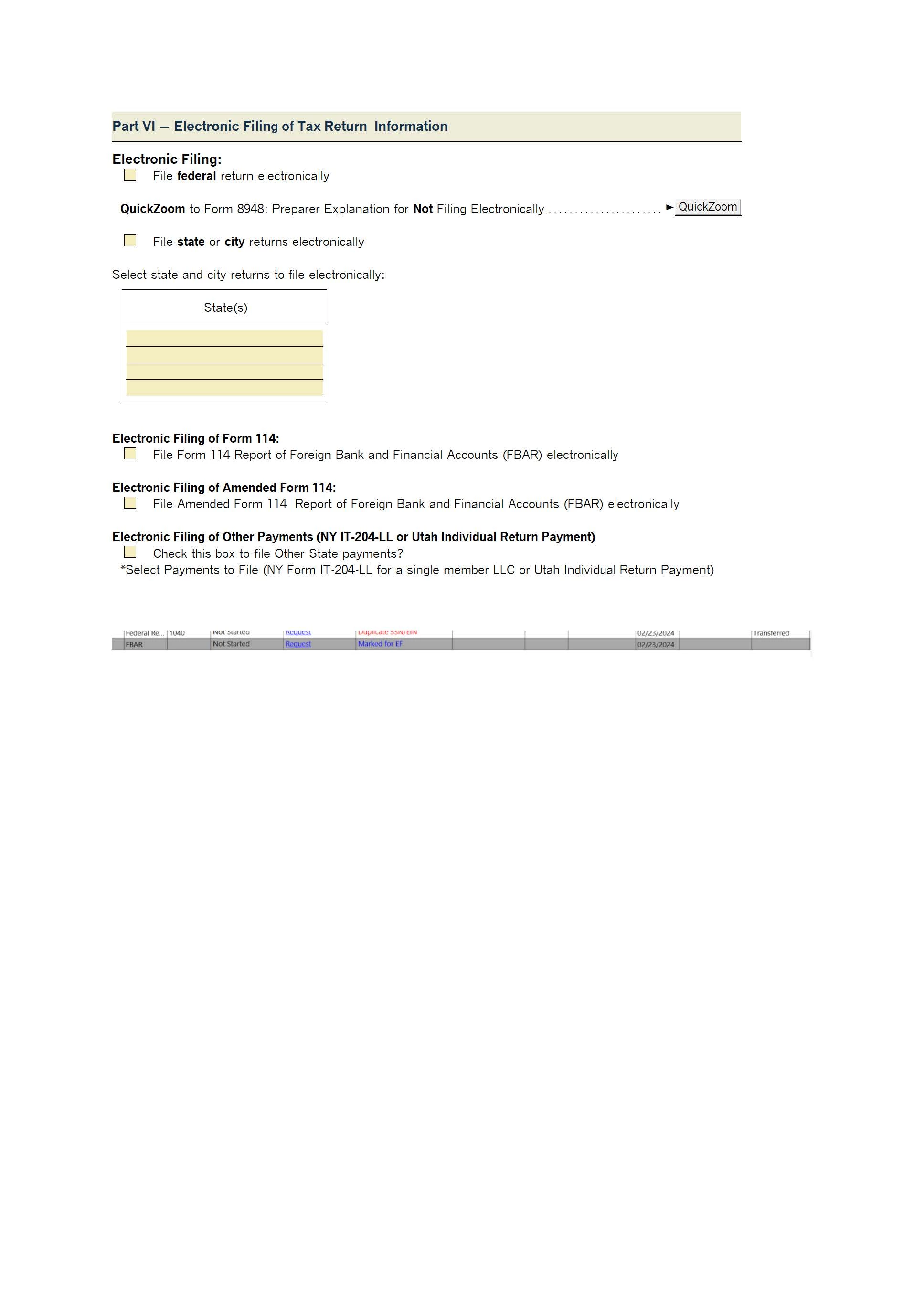
Trying to find my way around the software. Tested some files and I want to remove a file Marked for EF in the EF Center. I removed e-file the checkmark in the 1040 worksheet but the file is still showing up in EF Center. I had another FBAR file for the same client there and it's gone now. But the Federal return is still there. 

Any ideas on how to remove it?

Thanks a lot.
 

This topic has been closed for replies.
Best answer by Just-Lisa-Now-

Once you uncheck the box, it should take it out of the EFcenter. 

Be sure youve jumped over to the state return before you save and exit, or the state one will still end up in the EF center.

1 reply

Just-Lisa-Now-
Intuit Community Champion
February 24, 2024

Once you uncheck the box, it should take it out of the EFcenter. 

Be sure youve jumped over to the state return before you save and exit, or the state one will still end up in the EF center.

♪♫•*¨*•.¸¸♥Lisa♥¸¸.•*¨*•♫♪
joe64Author
Level 3
February 25, 2024

Thank you for replying. In this case the client lives in a foreign country and she is only filing a 1040 and FBAR, and therefore NO state return. Any other suggestions please?

Just-Lisa-Now-
Intuit Community Champion
February 25, 2024

So youve unchecked the EF boxes for both Federal and the 114, but it still appears in the EFcenter under the Pending Tab?  Or it just has the words Marked For EF in a column of Homebase?  Your pic is too small for me to see what it actually says

♪♫•*¨*•.¸¸♥Lisa♥¸¸.•*¨*•♫♪


