
Level 4
September 5, 2025
Solved

i just migrated to a new WINDOWS 11 laptop but i can't print my returns to a PDF?

  • September 5, 2025
  • 1 reply
  • 12 views

I have downloaded and installed all the years of ProSeries Basic and Proseries Pro software that i use (2017-2024).  I used the ProSerice local backup tool to move my clent data over and that worked fine.

But when I go to print instead of printing the document I want to save it as a PDF but i can't seem to get to the print settings which will allow me to do it.

Are there other files I need to move over?


Thanks,

John


Best answer by Just-Lisa-Now-

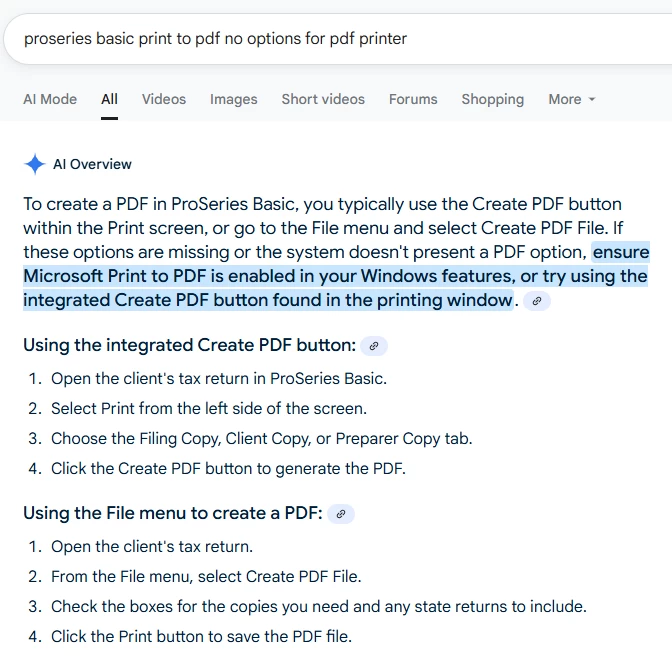
I just did a quick google search for the issue, and it does look like you may have a Windows option for that, this is a screen shot, of what I found, but you may want to do your own google search for enabling Microsoft Print to PDF in Windows

1 reply

Just-Lisa-Now-
Intuit Community Champion
September 6, 2025

What do you mean "cant get to the print settings"?

Im not sure what it is youre looking for, when you print to PDF, you just choose the Print to File box at the top of the Print screen (CTRL + P) when you're in a client file.

♪♫•*¨*•.¸¸♥Lisa♥¸¸.•*¨*•♫♪
Poltax75Author
Level 4
September 6, 2025

In pro series Basic the dropdown for setting the print option only shows my printer. No other options.

on my windows 10 laptop Proseries Basic gave me the option to Microsoft print to PDF.

My issue may be with Microsoft windows 11.

Just-Lisa-Now-
Intuit Community Champion
September 6, 2025

I just did a quick google search for the issue, and it does look like you may have a Windows option for that, this is a screen shot, of what I found, but you may want to do your own google search for enabling Microsoft Print to PDF in Windows

♪♫•*¨*•.¸¸♥Lisa♥¸¸.•*¨*•♫♪


