
Level 4
January 30, 2024
Question

Form 1120S K-1 worksheet - how to delete fields for non existant shareholders

  • January 30, 2024
  • 4 replies
  • 28 views

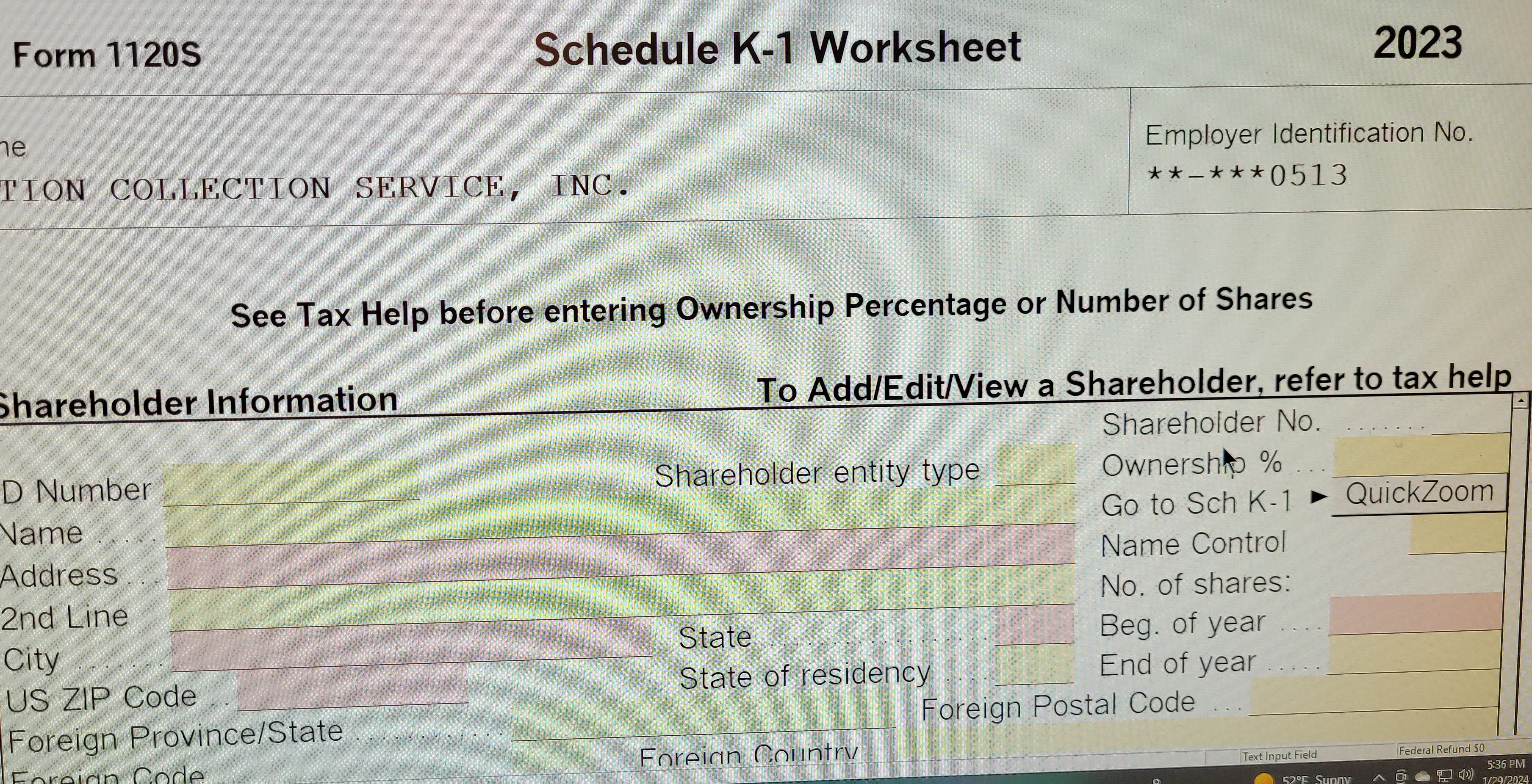
Client had 3 shareholders in 2022.  Two surrended their shares and K-1s are marked final but when I work on 2023, the K-1 Worksheet still has fields highlighted for #2 & 3 as well as Statement A for #2 & 3.  I tried to follow the help directions - How to Delete a Schedule K-1 but they do not work.

How can I delete these highlighted fields on the Schedule K-1 worksheet as well as the Statements A?
    This topic has been closed for replies.

    4 replies

    Level 10
    January 30, 2024

    When did they surrender their shares?

    It they didn't surrender them until January 2023, would they have been a shareholder for part of the year ?

    If they surrendered in 2022, the 2022 K-1 should have been marked final at that time.

    It may be that you have to do a very small proration (to make their K-1's show 0) if they only owned the shares for a few minutes or a day on January 1, 2023.

    Level 4
    January 31, 2024

    Thanks.  They surrendered in 2022 and K-1 were marked final.

    Level 4
    January 30, 2024

    Enter shareholders information, then zero percent for the ownership will solve the problem.

    Level 4
    January 31, 2024

    'll try and see if that works.  Thanks

    Level 3
    February 29, 2024

    Any solution to this?  This is happening on two of my S Corps.  2022 marked final for a shareholder.  2023 has an extra shareholder with no name, ID number, etc.  Yet, there are red error message boxes wanting me to complete the information for a shareholder that does not exist.  How do I resolve this?

    dkh
    Level 15
    February 29, 2024

    Based on ProSeries Help instructions for K1 Worksheet - To delete a Shareholder -  it seems it can be convoluted if the shareholder you are deleting is not the last in the shareholder list.

    Instructions indicate you have to reenter shareholder information......not ideal.

    I'd first try hitting delete through each data entry box of the K1 worksheet of shareholder you want to delete.


    Level 3
    February 29, 2024

    There is nothing to delete.  All the red boxes are blank.  Just like the picture that was shared up above.

    Level 2
    March 8, 2025

    I've been chasing down a solution and think I figured it out. 

    From the entry screen that has all of the fields glowing red, hit the QuickZoom at the top right of the screen.  Once you get to the phantom K-1 (mine was all blank but marked 'Final').  From here, go to the top row and click on Forms. Go down to "Remove schedule K-1'.  A dialog box will pop up warning that deleting will remove the K-1 and the Statement A page as well.  I selected ok and all of my errors disappeared along with the pain in the butt blank K-1.

    Hope this helps!


    Level 2
    May 5, 2025

    Thank you - I just spent 2 hrs trying to get rid of this Phantom K1.  Your suggestion worked!


