
Solved
When there are multiple persons in your tax office (or practice)... How do we change the Preparer's Name on an Intuit ProConnect™ tax return?
No text available
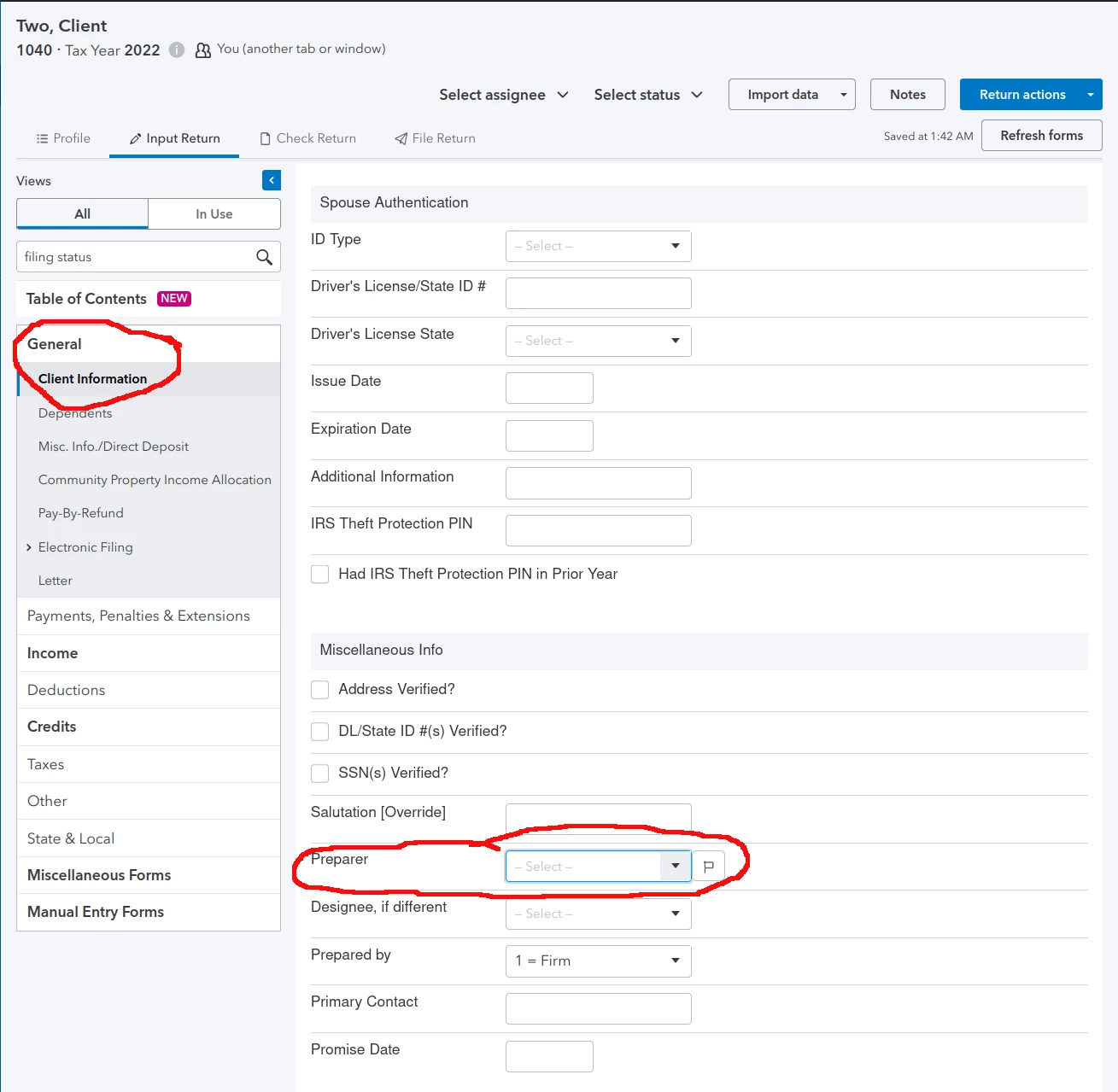
@itonewbie . So you're explaining that the following sequence is incorrect?
•"Tax Returns" Tab (on left side)
•Select Client's Return - by clicking Action > "View Return"
RETURN OPENS
•Input Return Tab
•General Tab (on left side)
•Client Information > Miscellaneous Info. > Then scrolling to "Preparer Name" field.
If this pathway is incorrect, I'm not sure where else to locate ---> General > Client Information, etc.
Enter your E-mail address. We'll send you an e-mail with instructions to reset your password.





