Level 3
June 13, 2020
Solved

Problems with 2019-38 attachments

  • June 13, 2020
  • 1 reply
  • 19 views
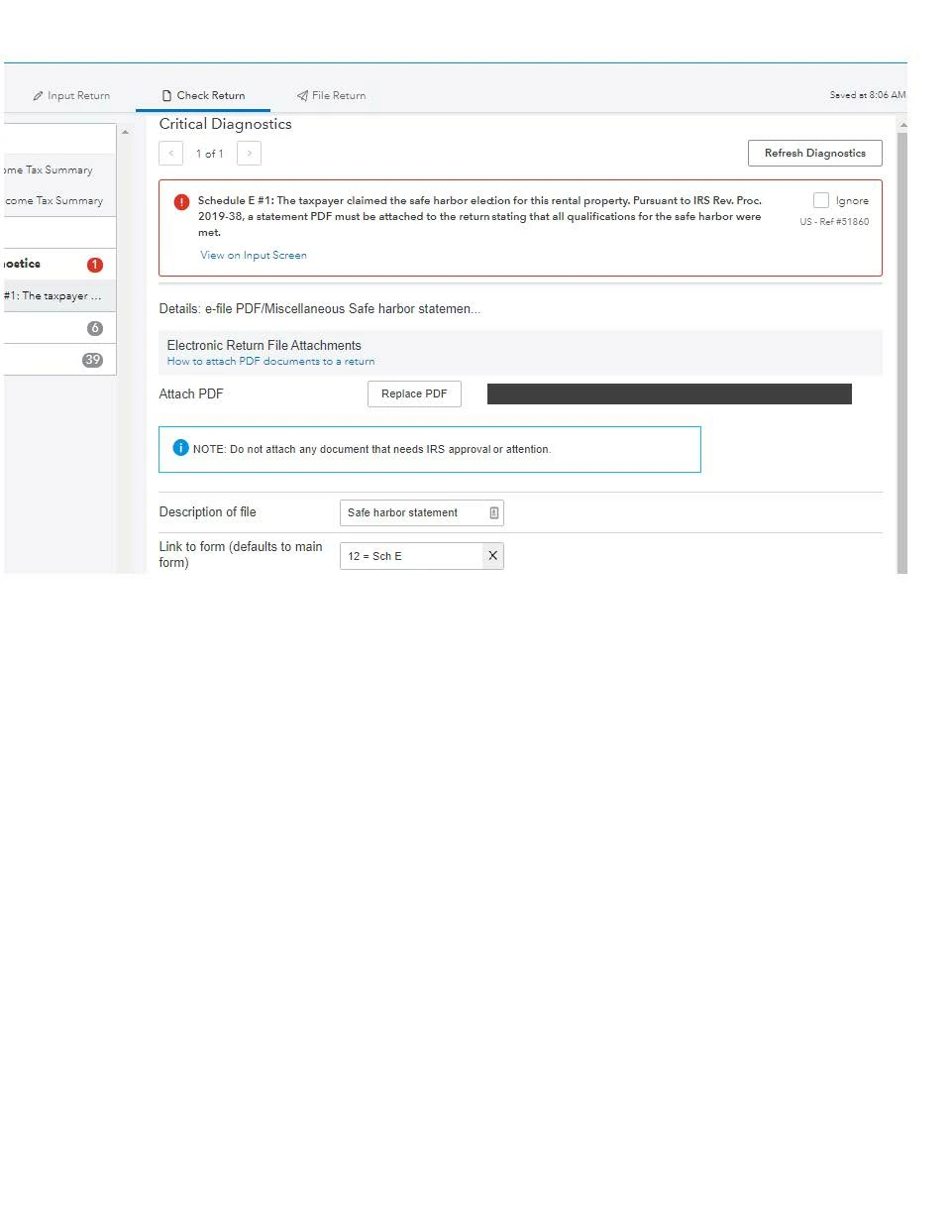
Is anyone else having a problem with critical errors related to a 2019-38 safe harbor statement? I've attached the pdf and still have a critical error.
This topic has been closed for replies.
Best answer by woodyled57

Thanks again - here is the first error:

And here's #2 (after you click on "View on Input Screen":


UPDATE - Jensen Sharon helped me out. The correct form attachment code is under "67-Other", with "67 = QBI Rental Real Estate Safe Harbor Statement" being the specific code.

Thx to all.

1 reply

George4Tacks
Level 15
June 14, 2020

There is no pdf attachment needed. Go to the rental input and scroll down to the Qualified Business Income Deduction area > Enter the rental number ins the box for "Rental real estate enterprise number if claiming a safe harbor". That will create the election statement, which does not need to be signed.

Here is the help from Lacerte, so ignore the references to screen number and code number

Rental Real Estate Enterprise Number, if Claiming Safe Harbor

Qualified Business Income DeductionScreen 18; Code 453

Enter the rental real estate enterprise number to claim the safe harbor treatment under Rev. Proc. 2019-38. To be eligible, separate books and records must be maintained for each property, 250 or more hours of rental services must be performed, and the property may not be rented under a triple net lease agreement.


Answers are easy. Questions are hard!
Level 3
June 14, 2020

UPDATE: I thought maybe I was just missing something so I checked the instructions (again) for attaching a PDF:

6 helpful votes
How to attach a PDF to Form 1040 for E-file
Follow these steps to attach a PDF to your return:
  1. Go to the Input Return tab.
  2. On the left-side menu, select General.
  3. Click on e-file PDF/Miscellaneous.
  4. Select the Attach PDF button. <--IT'S NOT THERE!