
Solved
How do I adjust Sch CA NR for out of state HSA contributions?
NE HSA contributions are showing up on Sch CA NR as CA sourced income.
I know how to do this in Lacerte; you'll have to translate into ProConnect.
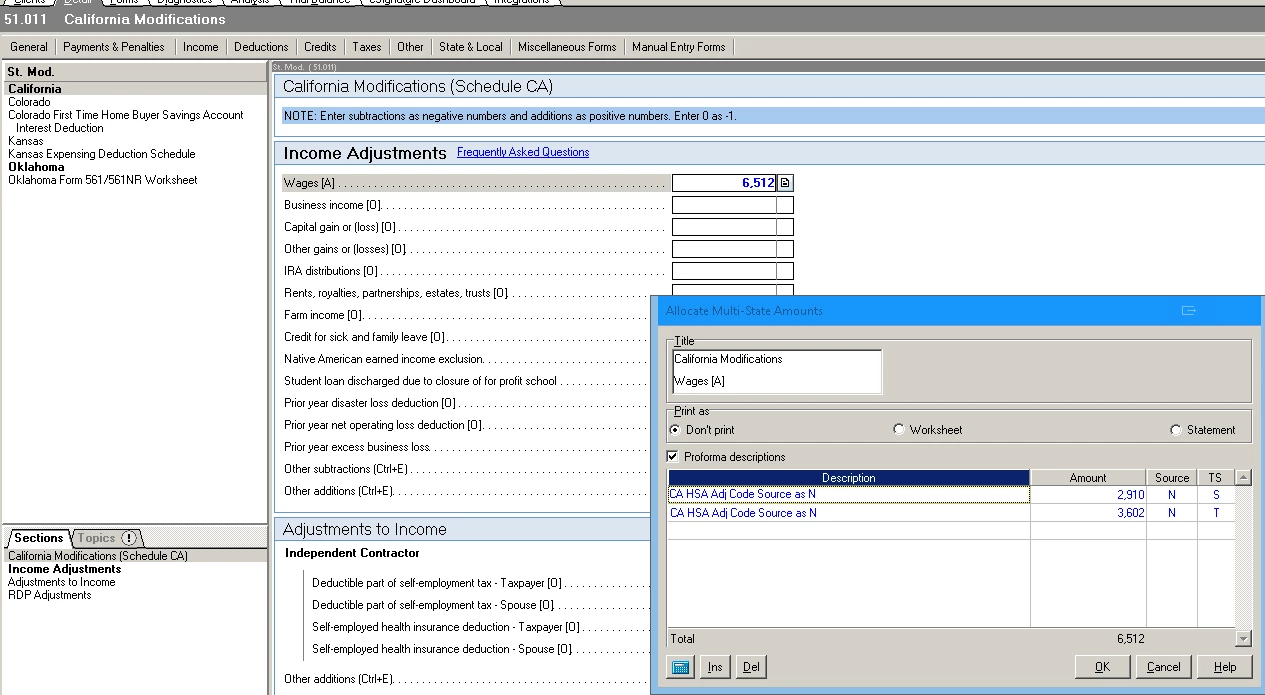
In Lacerte, the Screen is 51, titled State Modifications. Then you click on California to get to 51.011, California Modifications. In the Income Adjustments section, where it says Wages [A], you want to click on the button to the right to expand that box, and enter the amount of the HSA contribution. In the Source column, enter an N. The taxpayer / spouse flags are optional.
Enter your E-mail address. We'll send you an e-mail with instructions to reset your password.





