
Level 2
February 17, 2021
Solved

How can I enter a 2nd charity on AZ 321 form? Seems to like just one

  • February 17, 2021
  • 2 replies
  • 9 views
I don't see any dropdown or Add option on data entry
This topic has been closed for replies.
Best answer by itonewbie

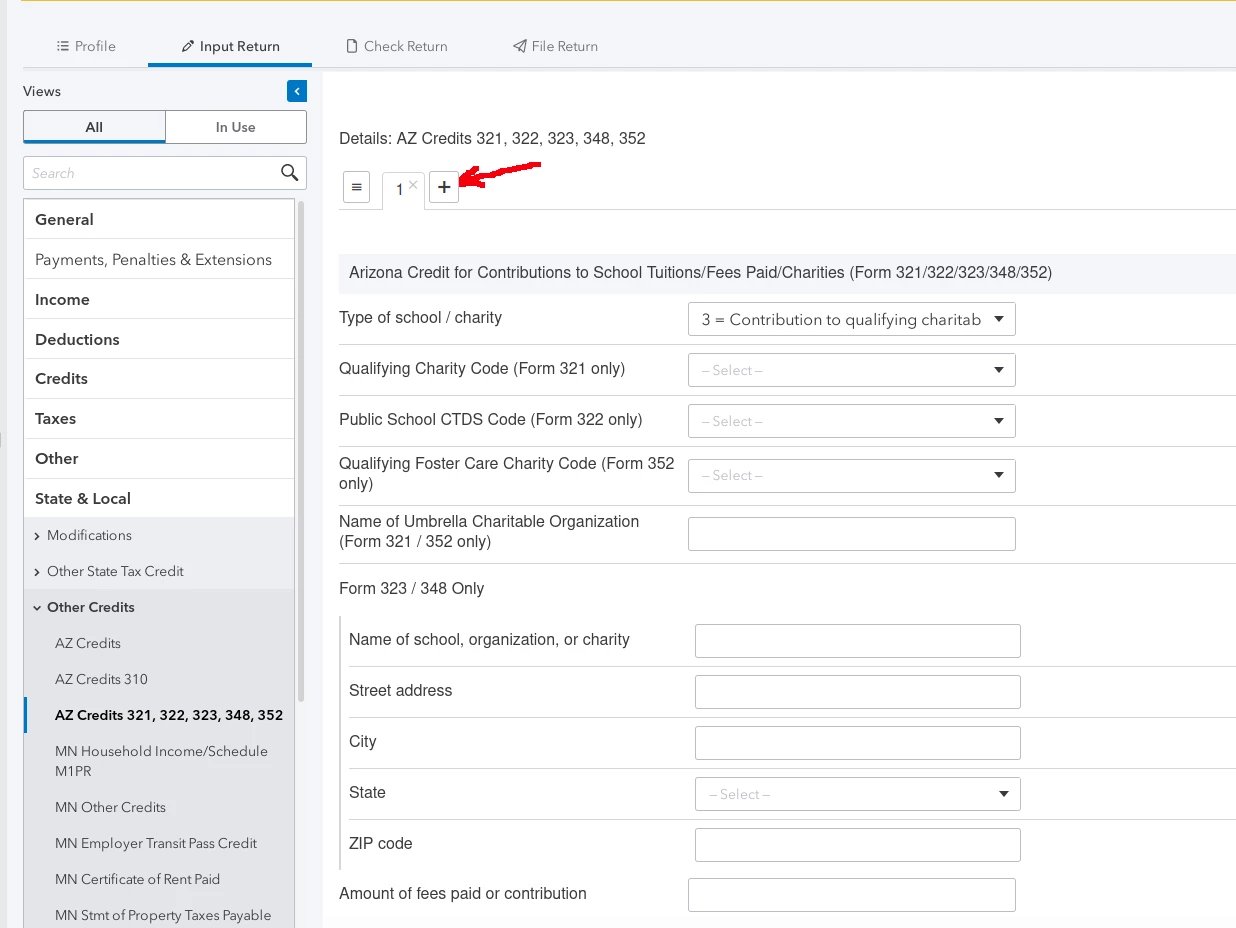
Here's a screenshot of where you're supposed to make the entries.  If you do not see what the red arrow points to, you will need to contact Intuit Support.
2 replies

BobKamman
Level 15
February 17, 2021

The form itself has lines for 3 charities (and another 3, for donations made in 2021 that apply to 2020).  Glad I don't use ProConnect.  

itonewbie
Level 15
February 18, 2021

In ProConnect Tax, whenever you see an entry being made on a tab and that tab has a + next to it, that's indication to you that to add a new entry, you just need to click on the + sign.  The flip side of the coin is that, to delete an entry, you just need to click on the x in the right corner of that particular tab.

---------------------------------------------------------------------------------Still an AllStar
userjerryAuthor
Level 2
February 18, 2021

The area I was asking about AZ - Other Tax Credits - 321 
Did not have the expected + on the tab for additional credits under 321

itonewbie
itonewbieAnswer
Level 15
February 18, 2021

Here's a screenshot of where you're supposed to make the entries.  If you do not see what the red arrow points to, you will need to contact Intuit Support.

---------------------------------------------------------------------------------Still an AllStar


