
Solved
FORMS
This is my first year using Pro Connect. Is there a way to input data directly on forms? I have been fumbling around and haven't found any way to do this yet.
This is my first year using Pro Connect. Is there a way to input data directly on forms? I have been fumbling around and haven't found any way to do this yet.
It does show forms if you click Forms
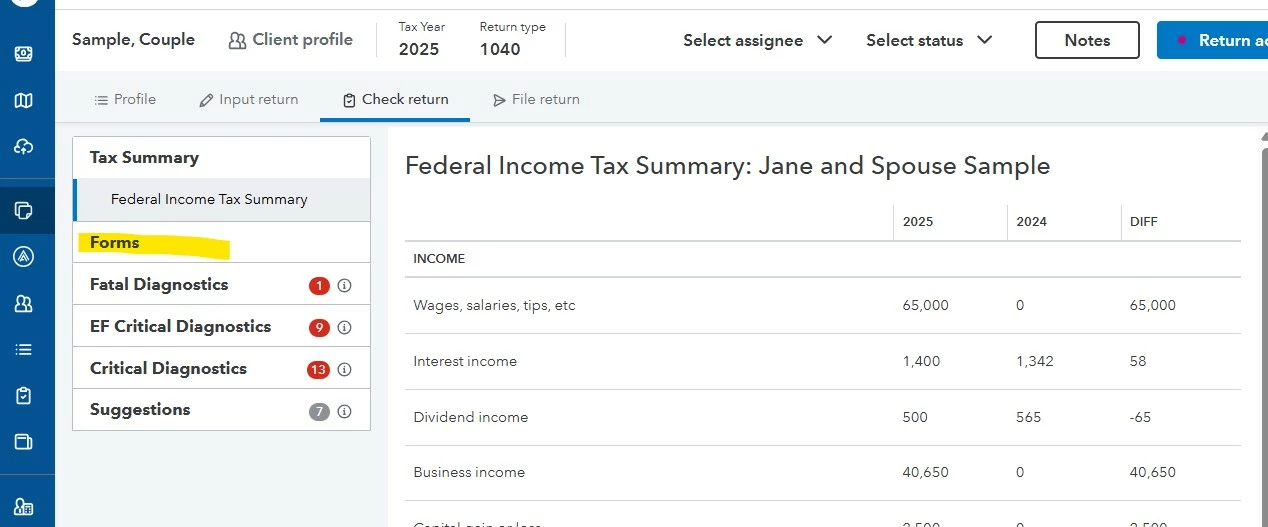
Then you can negotiate to any of the forms already on the return with this set of clicks.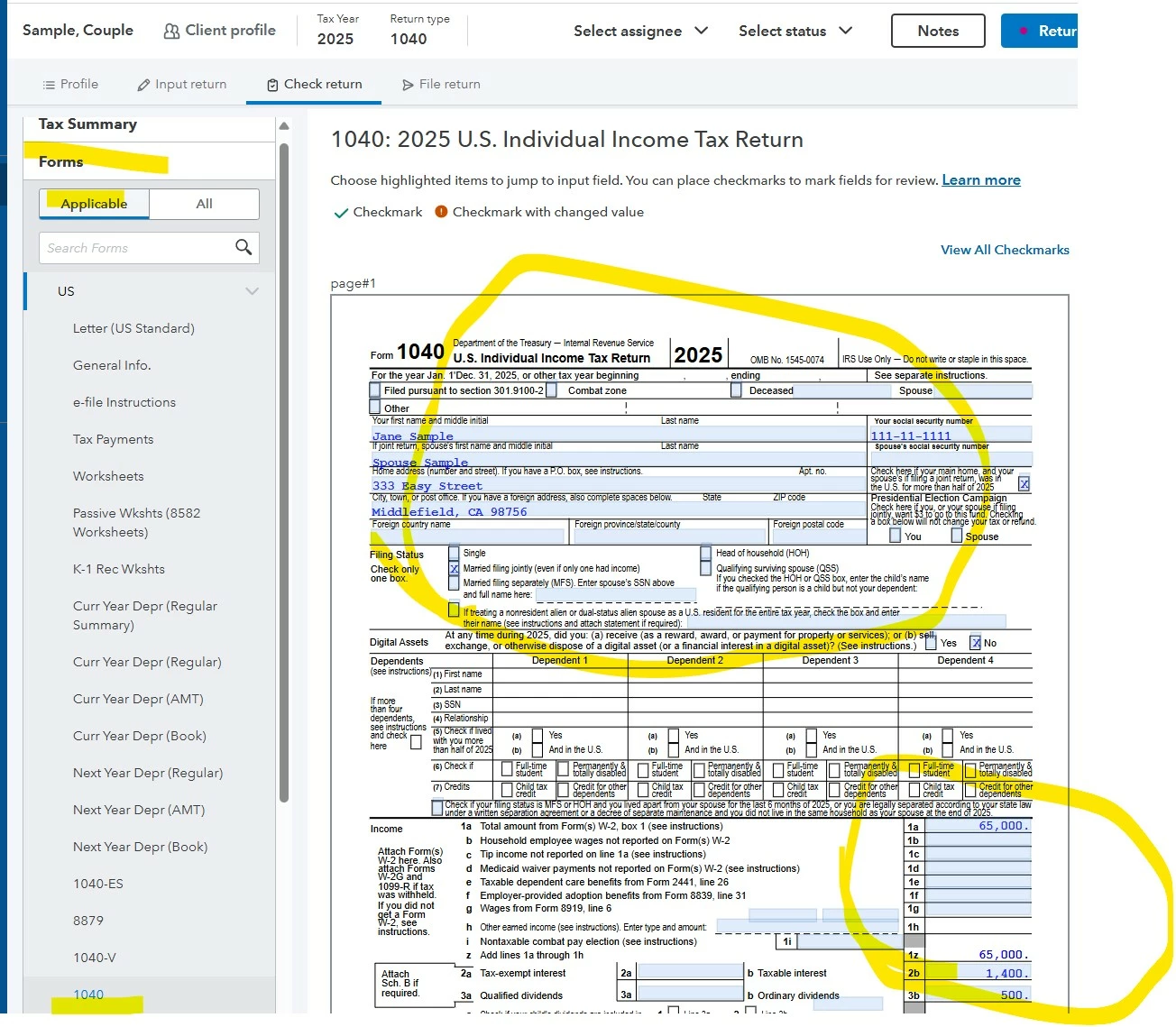
Then all those blue areas will get you to the input. IF you had selected All instead of the Applicable you could then even find forms not yet on the return.
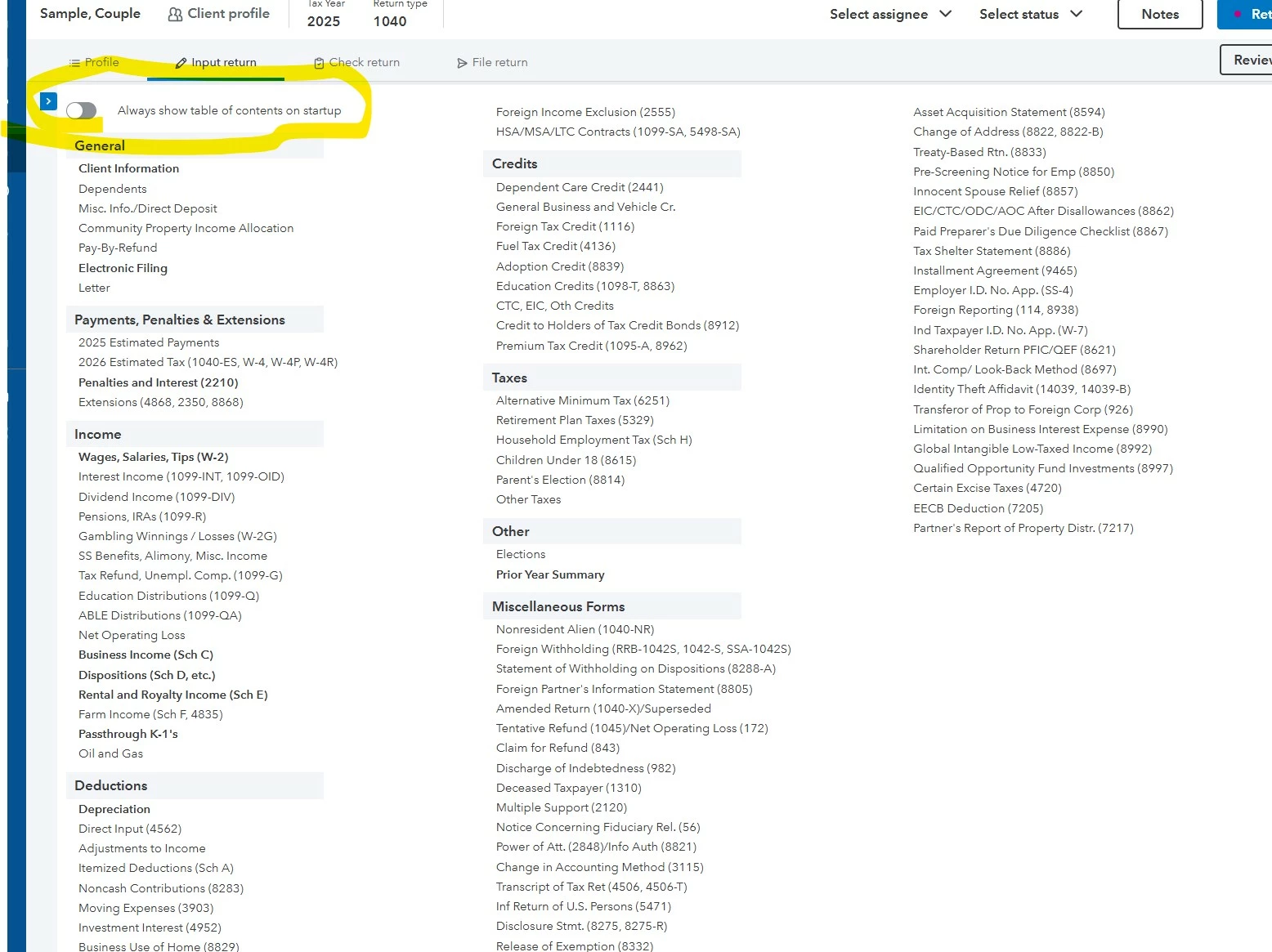
I am guessing that the input screen you REALLY NEED is not showing. Click the highlighted area. 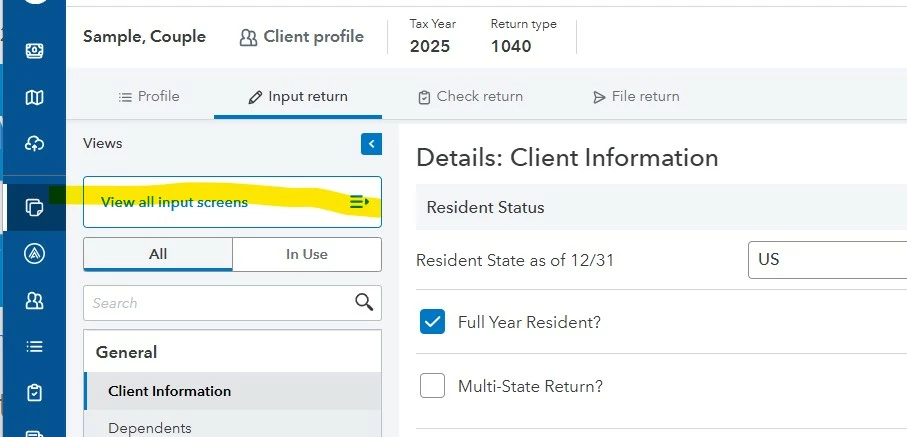
Then you get an input that will hopefully make sense to you after some navigation.
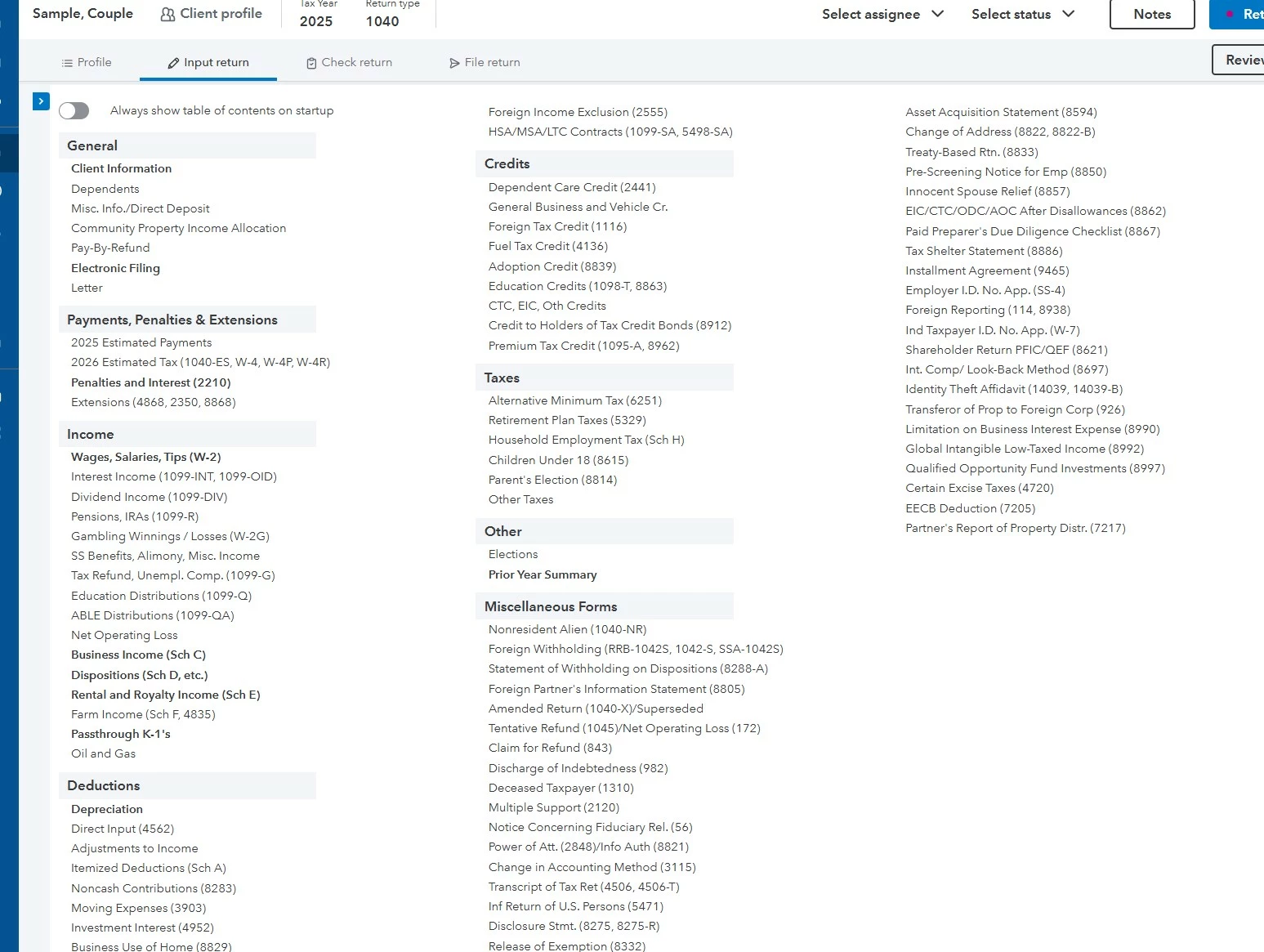
I then move this slider to ALWAYS SEE this input screen. YES THE SOFTWARE is hard to learn, but once mastered it is a powerful program.
Enter your E-mail address. We'll send you an e-mail with instructions to reset your password.





