
Solved
Filing status
My client got married in 2023 and I need to change the filing status from Single to MFJ. Can I do this in the existing return or do I have to create a new return? There doesn’t seem to be a choice to change when I open th
My client got married in 2023 and I need to change the filing status from Single to MFJ. Can I do this in the existing return or do I have to create a new return? There doesn’t seem to be a choice to change when I open th
I found the issue - I was on my ipad and then switched to my laptop and the options were there. Thank you!
Portability has its limits. ProConnect Tax is not fully compatible on tablets, although it works for the most part. See this article for compatible browsers on computers: https://accountants.intuit.com/support/en-us/help-article/product-system-requirements/system-requirements-proconnect-tax/L3EZJAOUi_US_en_US?uid=lrhsn74b
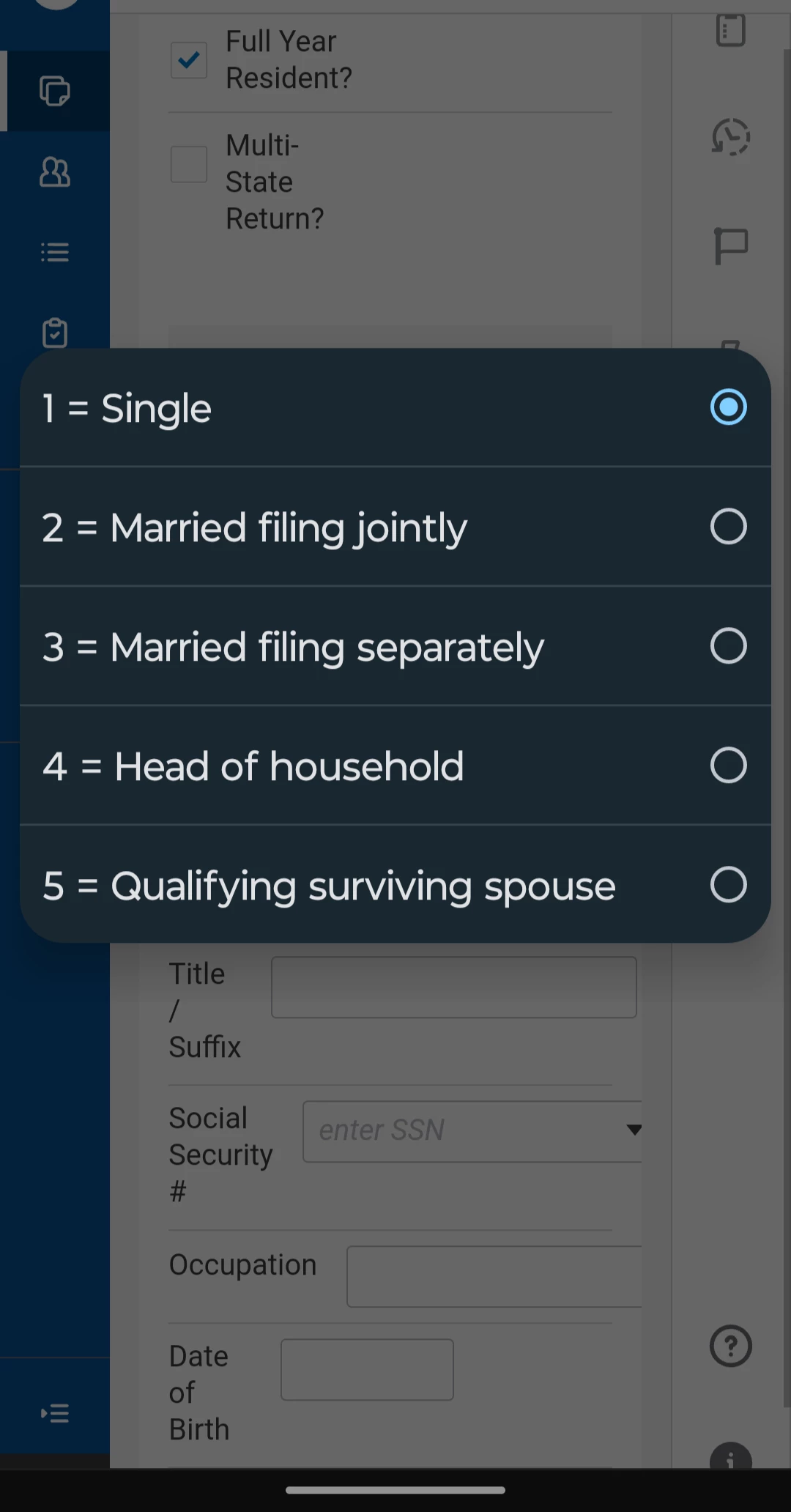
I sometimes use it on my mobile devices but only to check on stuff (instead of working on returns). This is how the input for filling status looks on Chrome. All the options are available as you can see.
Enter your E-mail address. We'll send you an e-mail with instructions to reset your password.





