
Level 2
October 3, 2022
Solved

Book Depreciation in ProConnect

  • October 3, 2022
  • 2 replies
  • 14 views

According to what I'm reading online, ProConnect Tax can be used to track depreciation and will generate three current year and three next year depreciation schedules (for regular, AMT, and book); I assume regular is MACRS. Well, I have a new client that I entered two new 2021 assets for; they are a Schedule C client and have no other assets. One of the issues I'm running into is that the MACRS depreciation is populating on the schedules. However, I'm not seeing where to enter the current book depreciation that is in their books so that it can populate in the schedules. If this software can be used to track depreciation then I would like to use it to its fullest capacity. This is my first time using the software to perform this task, so there is a possibility that I'm missing something. Please help. Thanks.
This topic has been closed for replies.
Best answer by George4Tacks

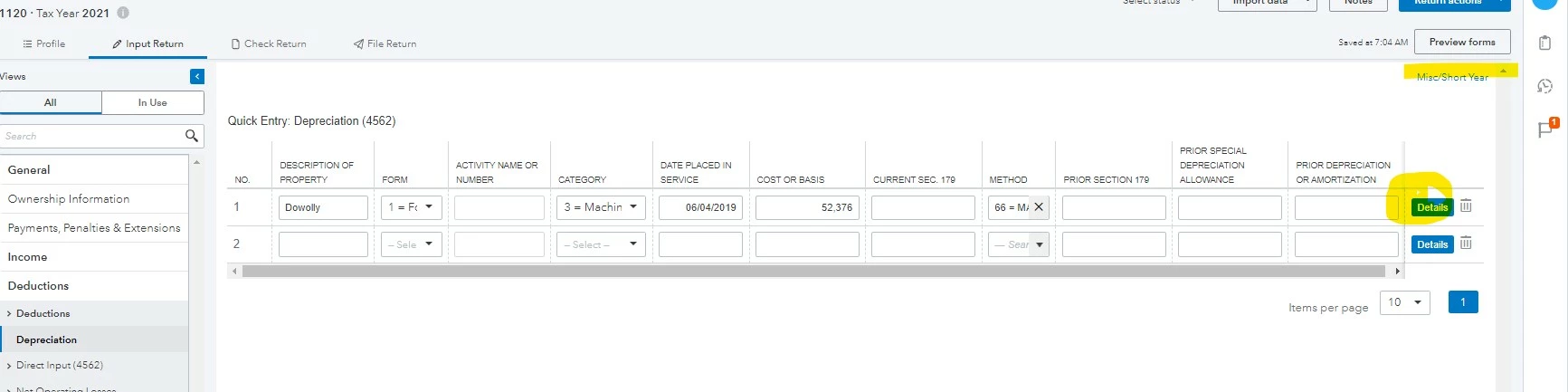
Start with depreciation setup as shown

Click Details

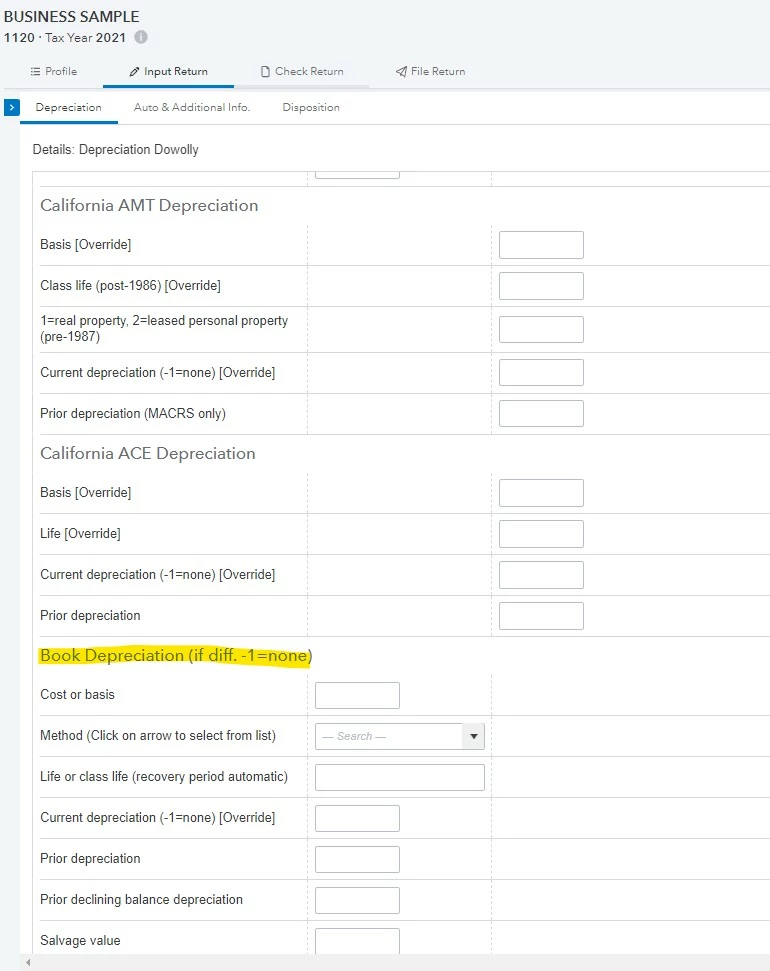
Scroll to Book Depreciation

2 replies

Level 3
October 4, 2022

I am a Pro-Series users so not sure I can be of much help but know what it is like not to have some reply to a question. Normally you would enter previous depreciation on the asset worksheet under prior depreciation. This will populate to the depreciation schedule and get you up to speed for the years moving forward. I am sure it is similar in Pro-Connect. Not sure this will help but at least you can know your question was seen. 

George4Tacks
Level 15
October 4, 2022

Start with depreciation setup as shown

Click Details

Scroll to Book Depreciation

Answers are easy. Questions are hard!
NSBSAuthor
Level 2
October 6, 2022

Thank you so much! This is exactly what I was looking for.


