Level 2
May 24, 2025
Solved

Amended Return Change Item Fields are not visible on the screen

  • May 24, 2025
  • 1 reply
  • 8 views

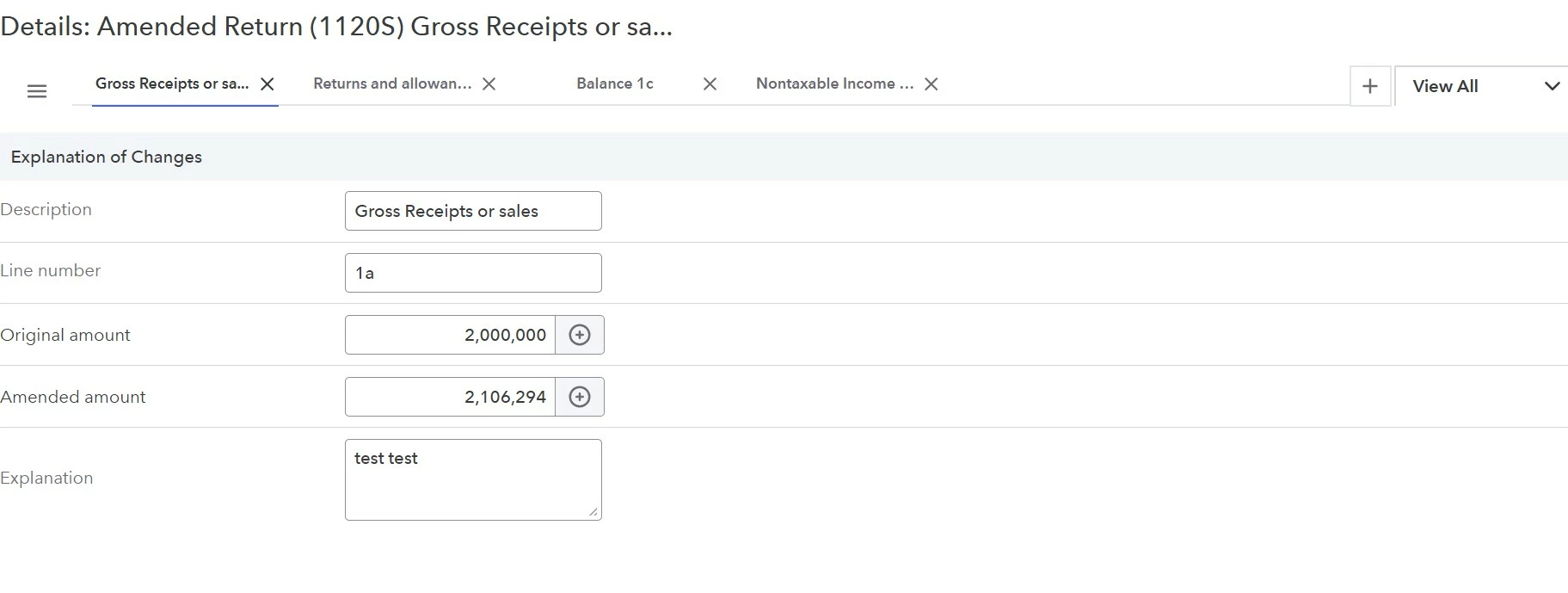
When trying to enter the items that need to be changed for an amended return (1120S) and selecting 'change items' from "Other Forms > Amended Return"the first item that needed to be changed worked great and it included data entry fields for:

  • Description
  • Line Number
  • Original Amount
  • Amended Amount
  • Explanation

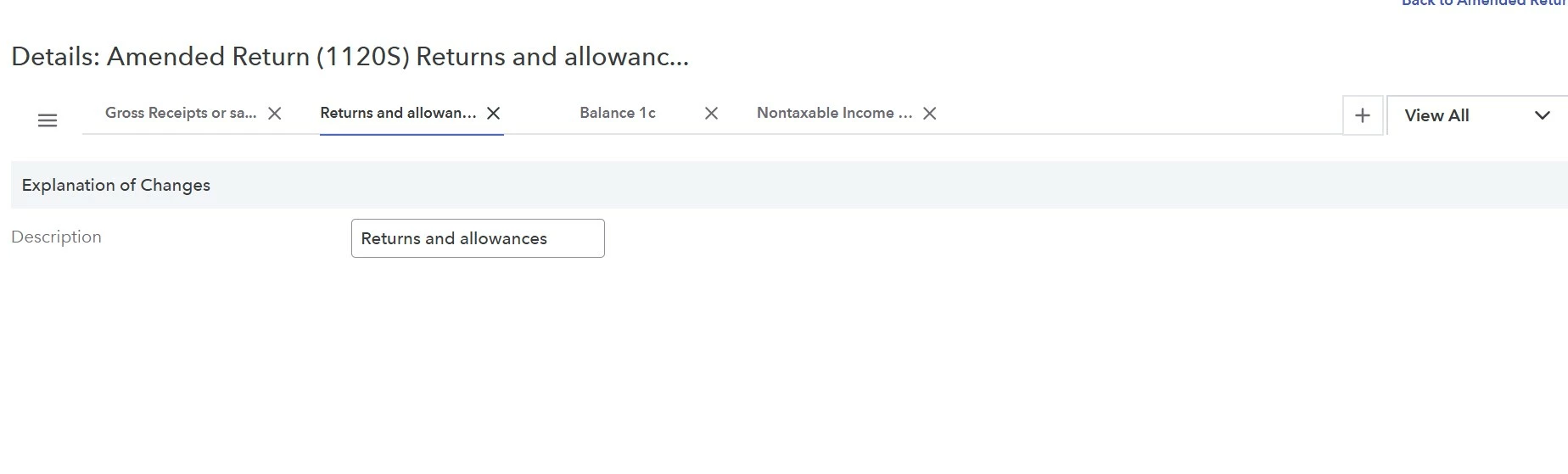
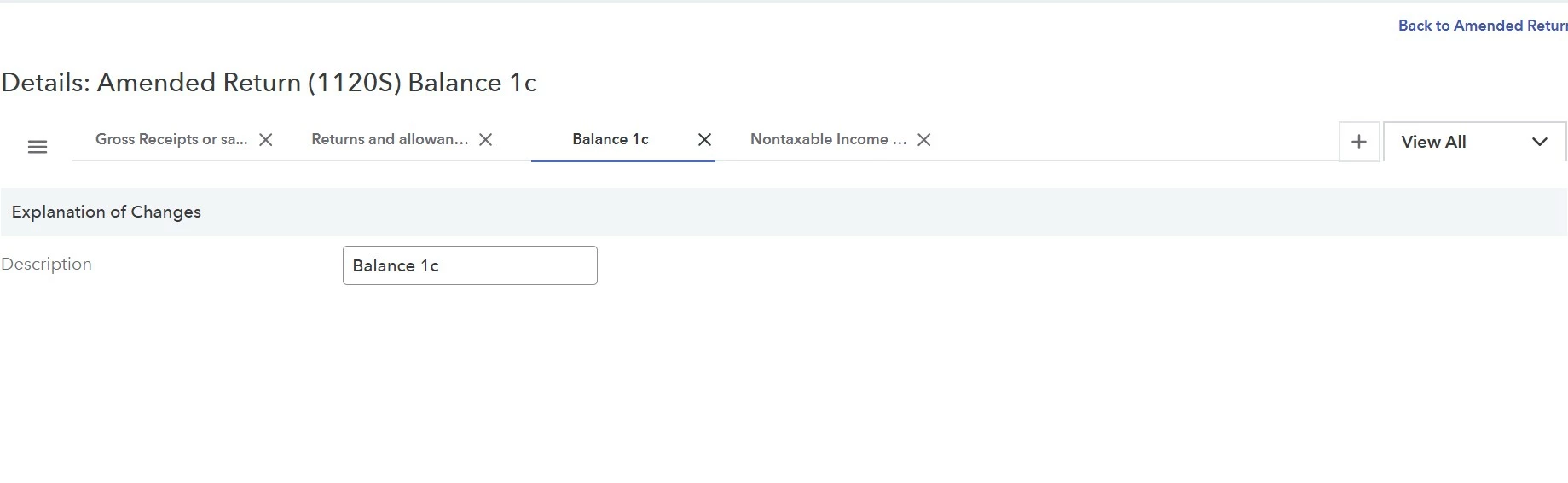
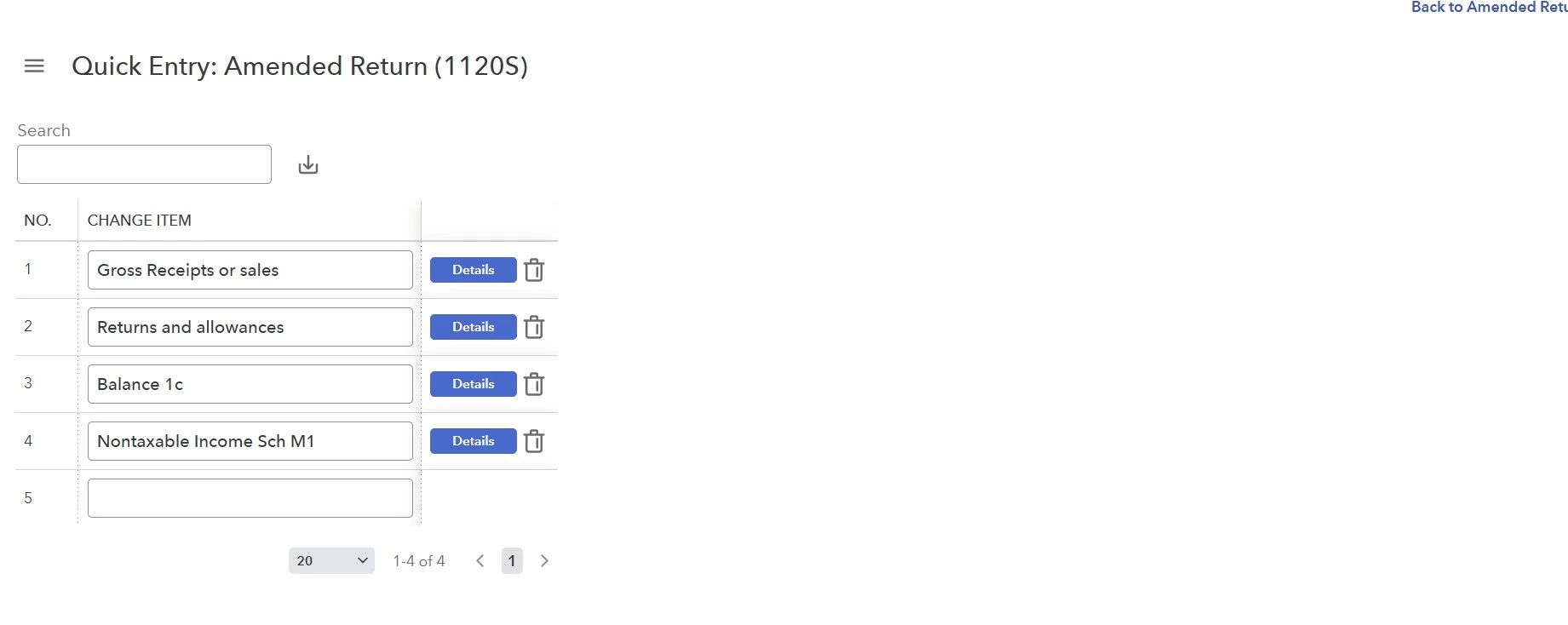
After clicking on the + to add a second item, the tab appears but the only field that displays is the "Description" field.  Even after entering a description the remaining data entry don't appear.  The same for any additional new items.  Also, when starting from the quick entry screen, clicking on the "details" icon brings up the specific tab, but it still only shows  the description box.

I've tried different browsers, clearing the cache, restarting the browser, checked that the browsers are up to date, restarting computer, restarting ProConnect, but nothing so far works.

Does anyone have any suggestions or know what I might be doing wrong?

See screenshots

Thank you
 

    This topic has been closed for replies.
    Best answer by MarkM-AdvantagePlusFS

    Thanks for the possible solution - I accidently got it to work.  I had to go back to view all input screens and select "Other Forms" and "Amended Return 1120S" again and then the fields all appeared on each of the tabs.  Each time a new change is created that has to be done to be able to enter the information - odd but it works

    1 reply

    George4Tacks
    Level 15
    May 24, 2025

    My GUESS - you entered all the lines in the 1st line, except for your first entry. 

    In the summary, click Details (in blue) and see what your 4th item really looks like. 

    Again my GUESS is it looks like this

    If my GUESS is correct, you need to take all that stuff of the Description line and put it in the other input boxes. 

    Answers are easy. Questions are hard!
    Level 2
    May 25, 2025

    Thanks for the possible solution - I accidently got it to work.  I had to go back to view all input screens and select "Other Forms" and "Amended Return 1120S" again and then the fields all appeared on each of the tabs.  Each time a new change is created that has to be done to be able to enter the information - odd but it works

    George4Tacks
    Level 15
    May 26, 2025

    Probably need to clear the cache in your browser.  https://support.google.com/accounts/answer/32050?hl=en&co=GENIE.Platform%3DDesktop


    Answers are easy. Questions are hard!