Solved
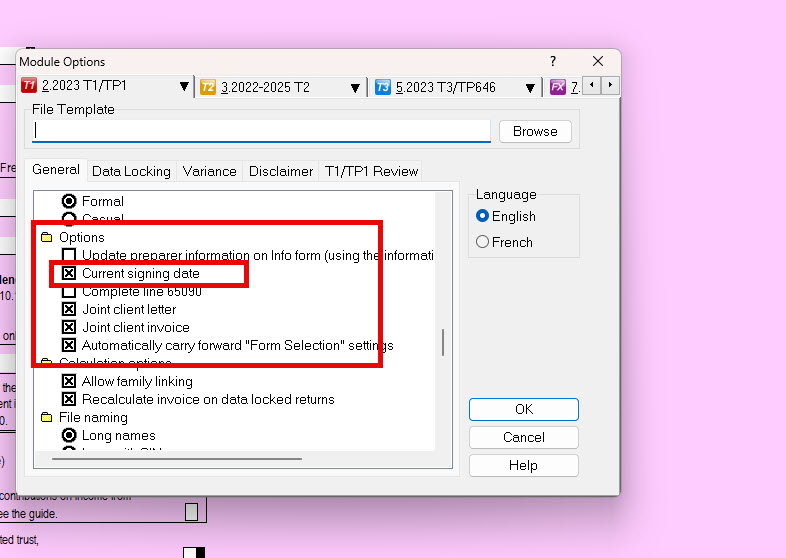
T1 General Signing Date in Profile
Hello,
My client wanted year 2022 T1 General Copy from previous year's returns we filed.
We generated PDF of T1 Form from the past year's data and noticed that the Form Date was shown as Current date. Its on Page 8 [last] of T1 General.
It was sent with a query from Client's mortgage bank for correction in date. We overwrite the date to the actual signed date and resend it.
I will appreciate if the e-Fling date or last Print date in case of paper file is saved permanently as Signing date instead of Current date to avoid confusion.
The Signing date input is in INFO Screen of profile software.
Thanks.
Vipul K Thakkar