Question
Print "Label" in Form Selection
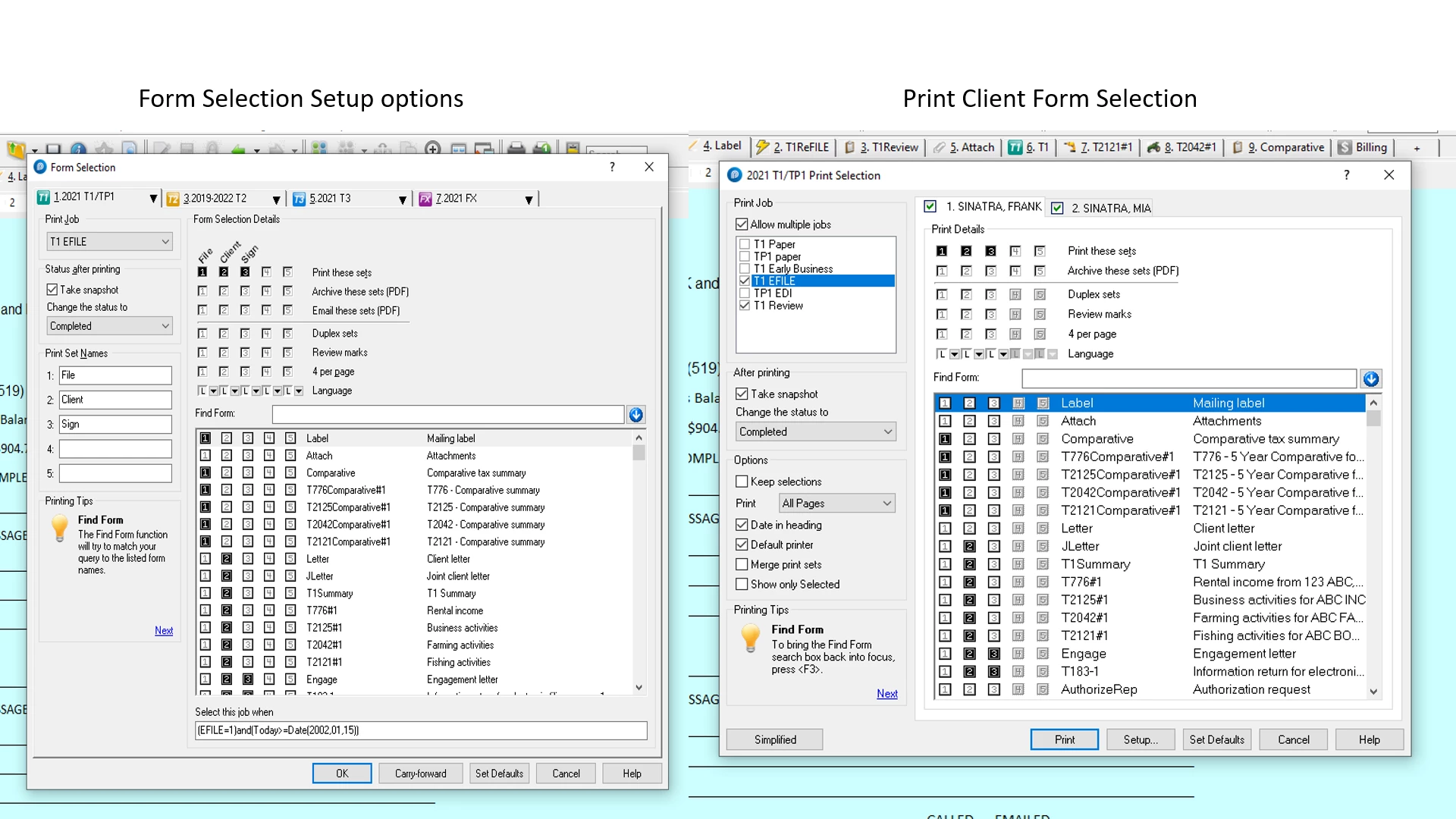
My Office utilizes the Form selection option (a 2 click process to printing all of the necessary forms needed for the specific client) I want to include in my package to print the “Label” I have gone to “Options”>”Form Selection” and under “T1 EFile” I have filled in the bullet for print Mailing Label. But when I go to a client file and hit “File”>”Print” the print selection opens but the Label Bullet is white. If in the “Simplified” mode the option disappears. How do I ensure that the bullet is blacked out for every client?
Thanks
Grant C.
Tax'200