joshuabarksatlcs
Level 9
April 9, 2022
Solved

In Lacerte, how to do TWO customized elections?

  • April 9, 2022
  • 1 reply
  • 14 views

@George4TacksI know you would know this....

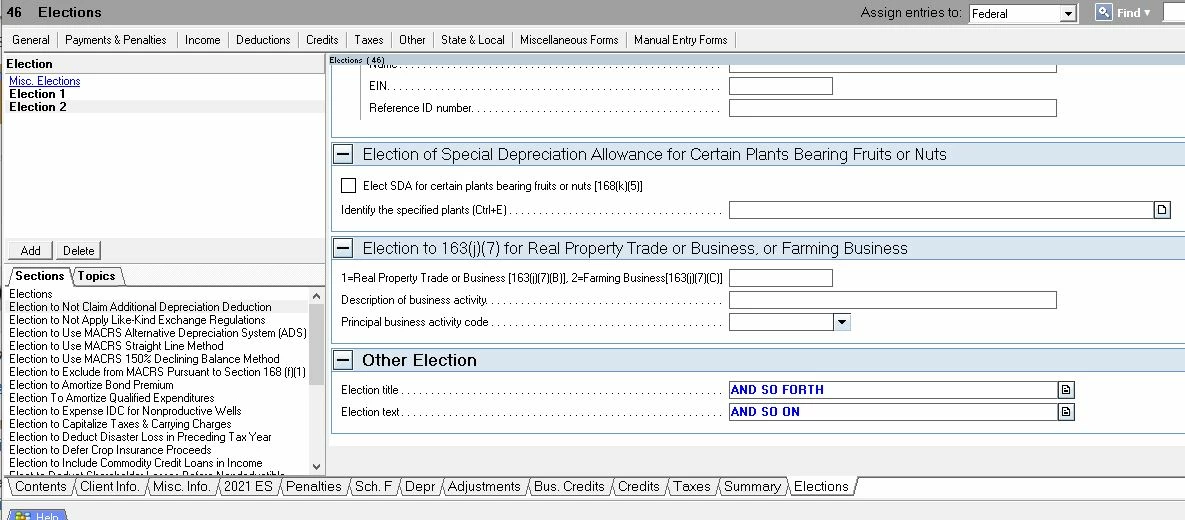
Lacerte Screen 46 Election .  On the bottom, it allows input for a "customized election" (i.e. election not preset in Lacerte) . 

A client has to make more than one such election.  Tried but too brain fried to find how (or if possible) to expand the fields (a set of two boxes, one for title,  the other for text) for multiple elections.   Please help.  Ctrl-E didn't work.

Or is it limited to only one? 
This topic has been closed for replies.
Best answer by George4Tacks

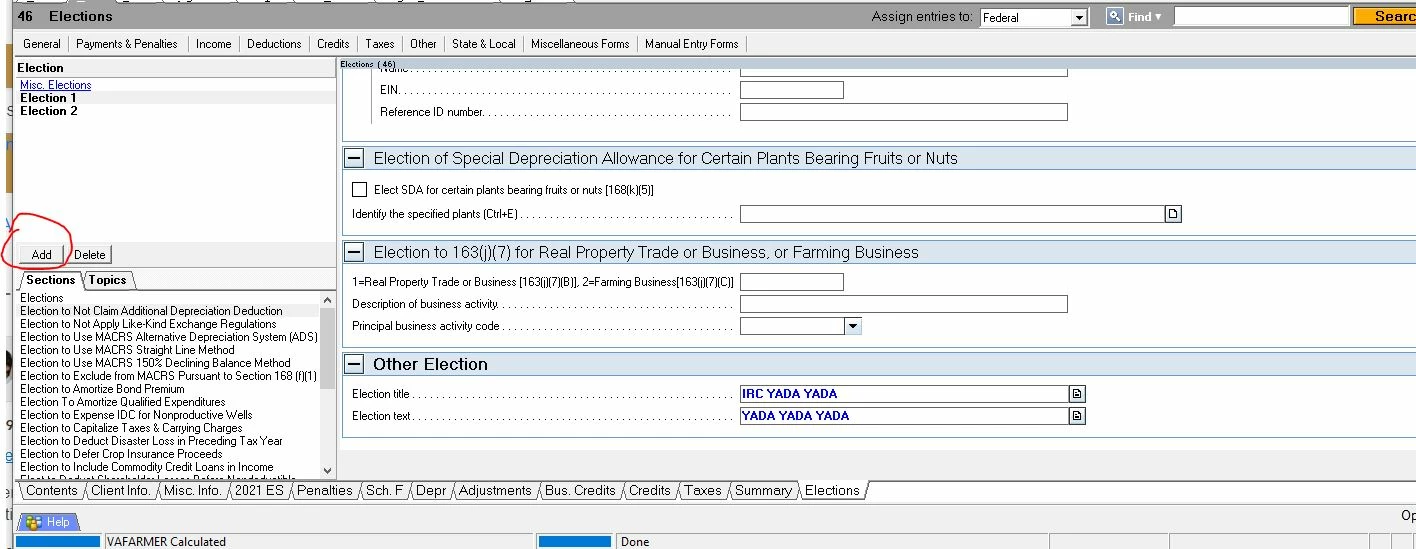
Surprisingly this one is so INTUITive that it really is hard to see. Click Add

1 reply

George4Tacks
Level 15
April 9, 2022

Surprisingly this one is so INTUITive that it really is hard to see. Click Add

Answers are easy. Questions are hard!
joshuabarksatlcs
Level 9
April 9, 2022

THANK YOU!  You're a life saver! I looked and looked and looked.


I come here for kudos and IRonMaN's jokes.
George4Tacks
Level 15
April 9, 2022

Sure! Sure! Sure!

I think you had on your pirate patch. 

FYI - This works for any of the elections and there are similar weird Add boxes in other parts of this not so INTUITive program.

Answers are easy. Questions are hard!