
Level 2
December 2, 2020
Question

Error Message when opening 2017 & 2018 Lacerte Programs ???

  • December 2, 2020
  • 1 reply
  • 24 views

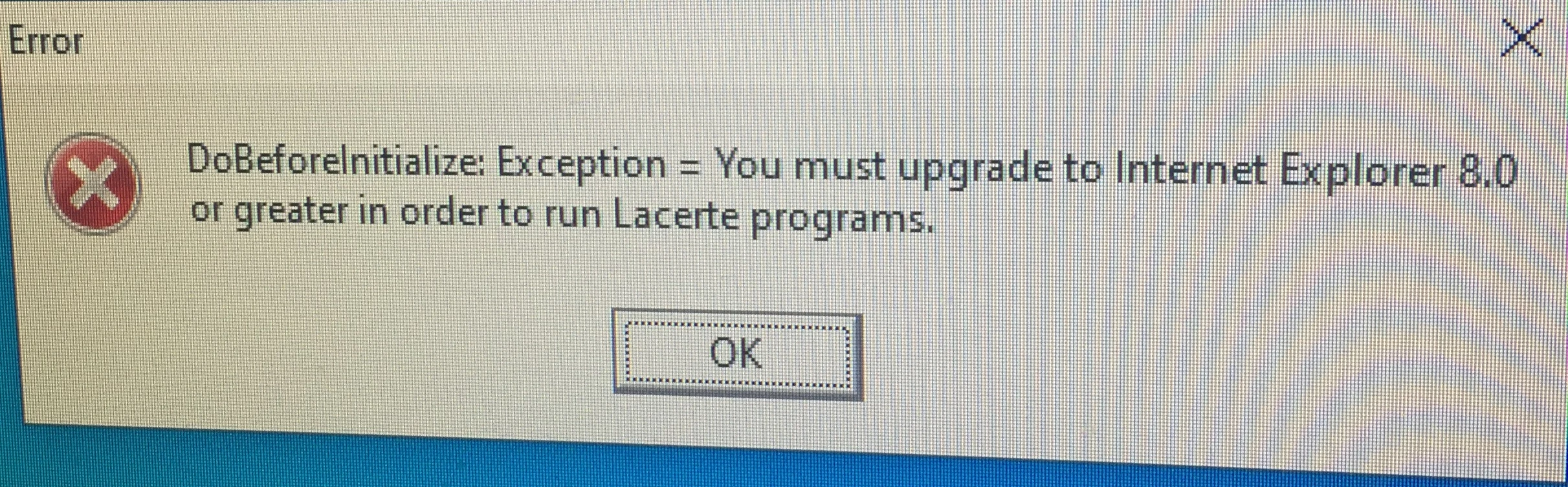
I get an error message (Circle with Red background and a white X in middle)

DoBeforeInitialize: Exception= You must upgrade to Internet Explorer 8.0 or greater in order to run Lacerte programs.

Problem is 2019 works perfectly? I am using Windows 10, Microsoft Edge ?

Anyone got an explaination. Must be missing something in the program, I downloaded fresh program from Lacerte but no joy?
This topic has been closed for replies.

1 reply

George4Tacks
Level 15
December 2, 2020

Unfortunately Lacerte still uses Internet Explorer for many of it's features. You probably need to update your IE, even though you have EDGE.

From Microsoft:

Microsoft Edge is designed for faster, safer browsing and is recommended for Windows 10.

But Internet Explorer 11 is also included in Windows 10 and is automatically kept up to date. To open Internet Explorer, select the Start  button, type Internet Explorer, and then select the top search result.

To be sure you have the latest version of Internet Explorer 11, select the Start  button, select Settings  Update & security > Windows Update, and then select Check for updates.

Answers are easy. Questions are hard!
GarybakerAuthor
Level 2
December 3, 2020

Thank you George4Tacks, I did the updates but did not solve the problem. Programs 19 and 20 work fine, just 17 and 18?

I also tried reinstalling the program but didn't help either.

George4Tacks
Level 15
December 3, 2020
I have an older machine updated to Windows 10. IE 11. I just loaded 2017 with no problem. I know Windows did an update on me yesterday, so I thought it might have been the cause for you, but I think not.
Your only other option is the much dreaded phone call to support.
Answers are easy. Questions are hard!


