
Level 3
November 11, 2020
Solved

Cannot Print 2020 Organizer or Modify Letter Settings

  • November 11, 2020
  • 2 replies
  • 36 views

Like a few others of you, our firm is unable to print the 2020 Organizer from Lacerte. Our custom client letter and engagement letter return the error message "The selected client [CLIENTNUMBER] does not have any data to print." This error is patently false, as the client information and various forms are full of data.

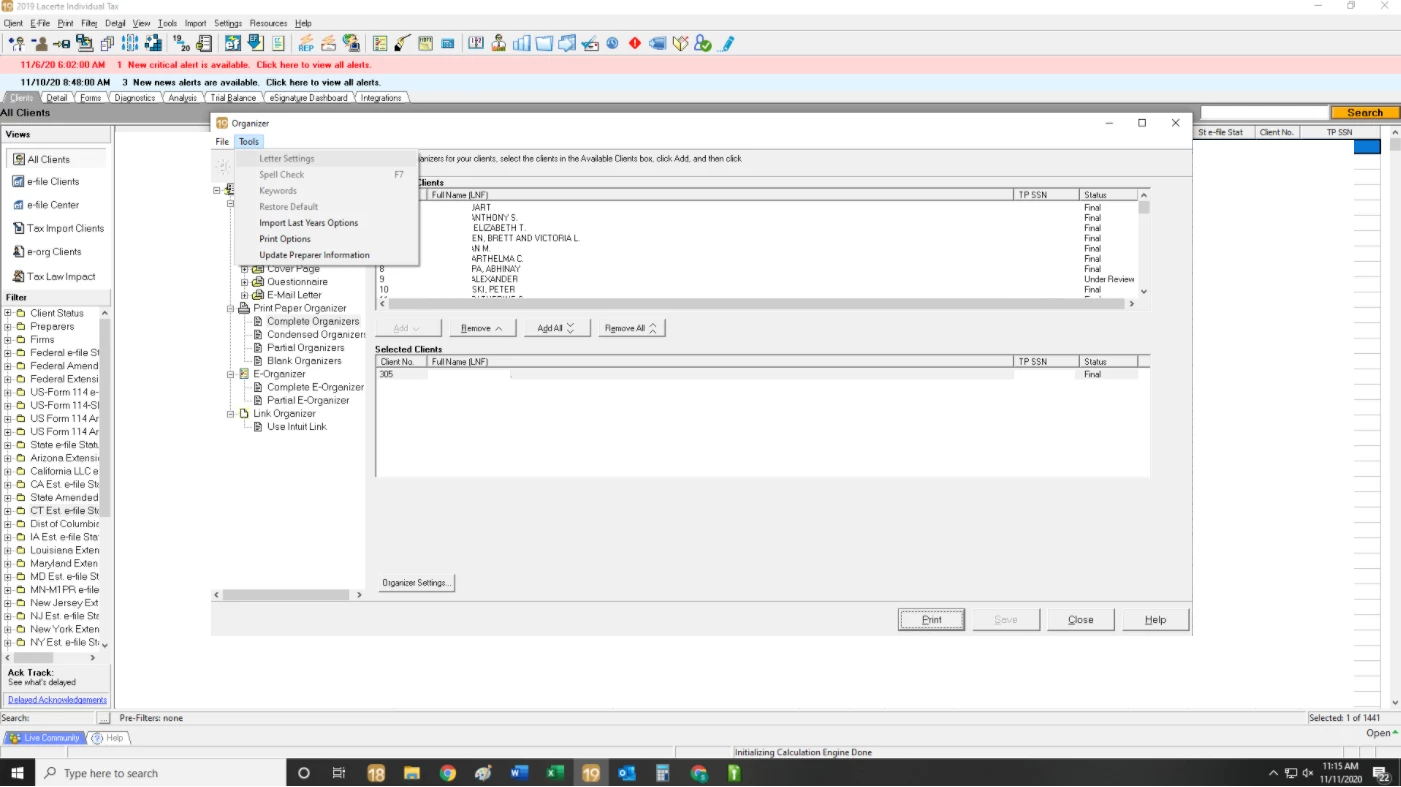
I called tech support regarding this matter and they said it is something that they are working on-- an issue that those with borders around their custom letters are having. However, when IT tried to walk me through the process of removing the border we were unable to do that as well, as the feature is grayed out. Does anyone else have this issue where they cannot modify their letter settings or had some luck getting around this bug?

 

This topic has been closed for replies.
Best answer by George4Tacks

Like you say, Lacerte is aware of the problem. You should just sit back and enjoy the day. It will be in an update soon.


2 replies

George4Tacks
Level 15
November 11, 2020

Like you say, Lacerte is aware of the problem. You should just sit back and enjoy the day. It will be in an update soon.


Answers are easy. Questions are hard!
Level 2
December 8, 2020

I haven't been able to print the organizers and tired of waiting for an update, did you have any luck with being able to print the organizers?

nlydickAuthor
Level 3
December 8, 2020

I still haven't been able to print the 2020 Organizer. A few representatives told me to go to Tools --> Letter Settings --> and uncheck "print border." When I tried this the error persisted and since then the Tools feature has entirely greyed out.

I was told to wait until the next Lacerte update, which I believe is coming tomorrow.

Level 2
December 8, 2020

Thank you very much for your reply. 🙄


