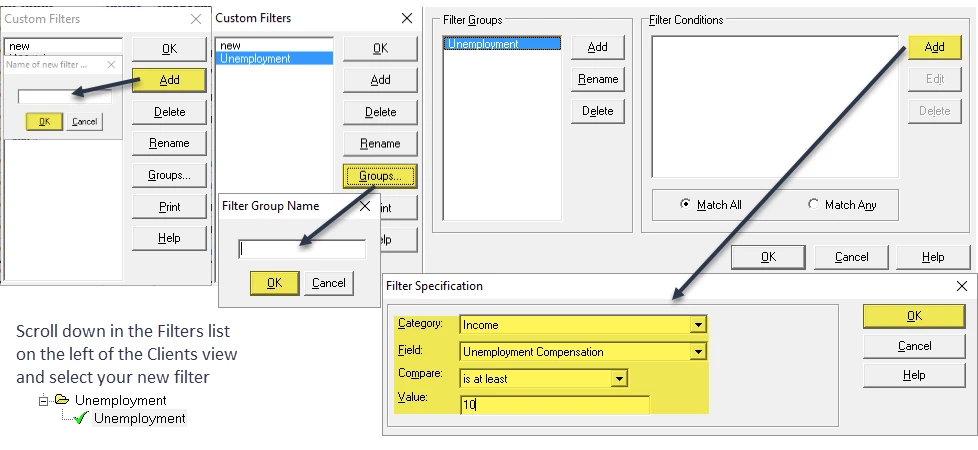

How to create a filter to find Individual Clients with Unemployment Visual Guide:
1. First, click on the Filter dropdown at the top of Lacerte
2. Modify Filters > Add
3. Type the desired name (ie. Unemployment) and click "OK"
4. Next, select "Groups" and type desired name (ie. Unemployment) and "OK"
5. Click Add on the right for "Filter Conditions" and select dropdowns as written below and hit ok.
Category: Income
Field: Unemployment Compensation
Compare: "is at least"
Value: 10
6. Scroll down in the Filters List on the left of the Clients view and select your new filter.