
Level 1
June 22, 2026
Solved

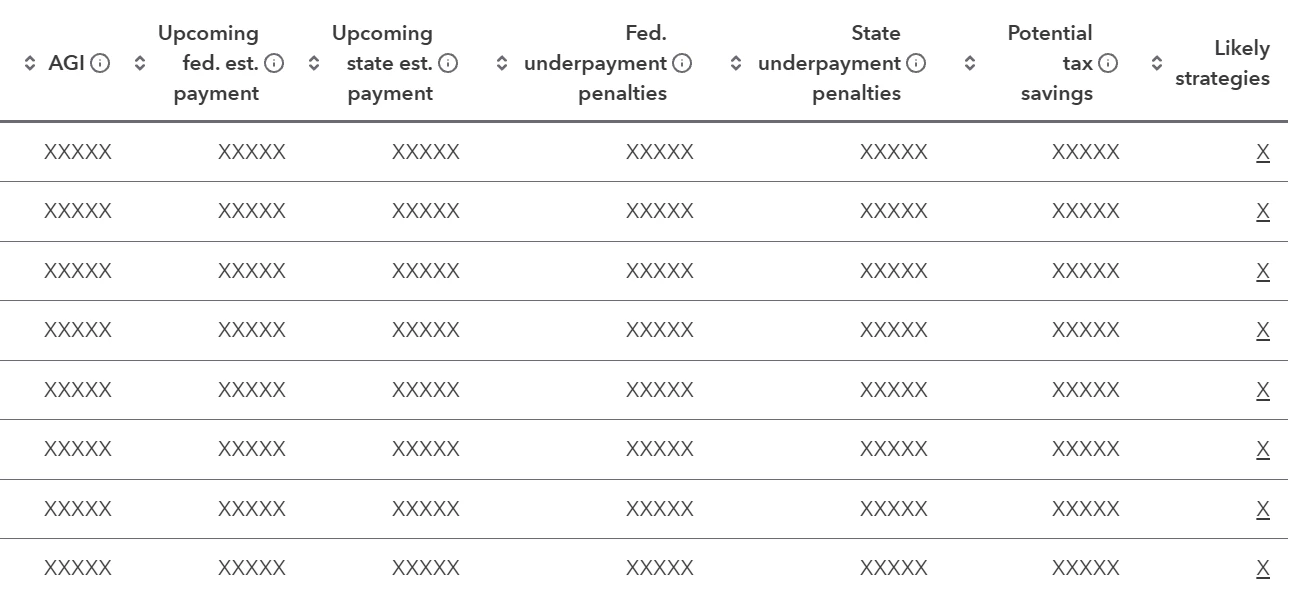
Intuit Tax Advisor Clients List Showing Only XXXXX

  • June 22, 2026
  • 1 reply
  • 28 views

I’ve watched a few videos about Intuit Tax Advisor and it always shows numbers for the columns on the Clients list page. For some reason, my page only shows XXXXX for all the columns. It would be nice to see the potential tax savings without having to start a plan for the client. I’m using ProConnect, and I’m able to make plans in Intuit Tax Advisor without any issues. I just can’t see any numbers until I start a plan. The training videos show numbers instead of XXXXX. If anyone has a solution that will show the numbers, I’d love to hear it. I’ve include a screenshot to show what I’m seeing. Thanks in advance for anyone who helps out.

 

Best answer by Kathi_at_Intuit

Hi ​@AlexanderWDCPA welcome to the Community and thanks for posting about Intuit Tax Advisor Clients list only showing XXXXX. We tried to duplicate this, and our clients are showing numbers and potential savings. We’d suggest reaching out to ProConnect Support for further assistance with Intuit Tax Advisor. They’d be able to remote in and take a look with you. 


1 reply

Kathi_at_Intuit
Moderator
June 25, 2026

Hi ​@AlexanderWDCPA welcome to the Community and thanks for posting about Intuit Tax Advisor Clients list only showing XXXXX. We tried to duplicate this, and our clients are showing numbers and potential savings. We’d suggest reaching out to ProConnect Support for further assistance with Intuit Tax Advisor. They’d be able to remote in and take a look with you. 


**Click the 👍Thumbs up icon to say thanks on a post, and click Best Answer to mark the post that answered your question.


