

Sticky
Read vs. Unread Posts
Read vs. Unread Posts
Never miss new conversations again! The Community now makes it easier to see which posts you've already viewed and which ones are new.
How it works
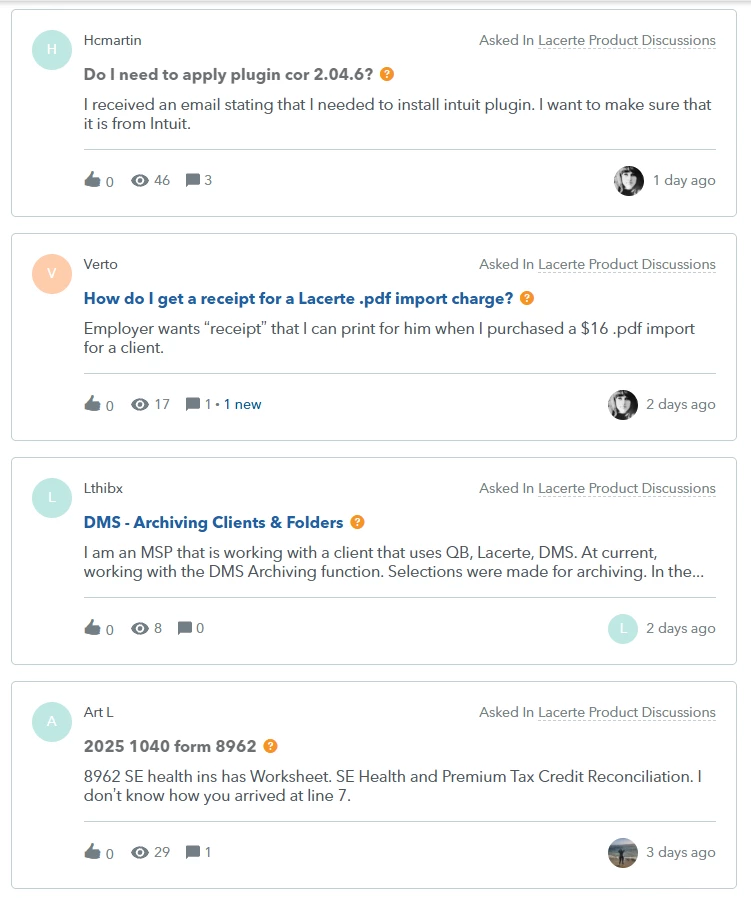
Posts are displayed with different colors based on whether you've read them:
- Unread posts appear in bold blue.
- Read posts appear in dark gray.
This makes it easy to quickly spot new discussions when you return to the Community.
If you don't see the difference
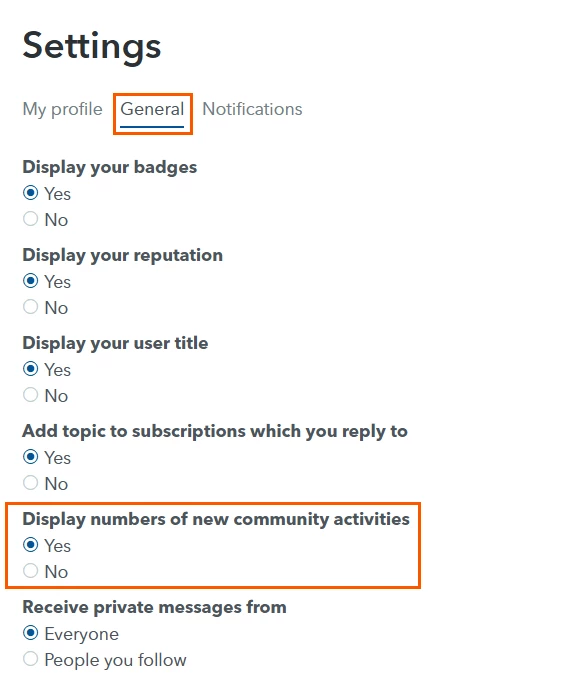
If all posts appear the same, you may need to enable the setting that tracks new community activity.
- Click your Avatar in the upper-right corner.
- Select Settings.
- Click the General tab.
- Under Display numbers of new community activities, make sure Yes is selected.
- Refresh the page if needed.
Tip
The Community automatically updates a post's status after you've opened it. The next time you visit the discussion list, posts you've already viewed will appear in dark gray, while any new or unread posts will remain bold blue so you can quickly find what's new.





