
Level 2
January 19, 2026
Question

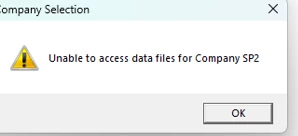
UNABLE TO ACCESS DATA FILES FOR COMPANY

  • January 19, 2026
  • 3 replies
  • 10 views

We cannot all of a sudden access any of the companies saved in our server. We tried copying the file to C drive but this error just keeps popping up. We restarted our server and nothing seems to work! Anyone else experiencing this issue? 


3 replies

Level 2
January 20, 2026

We are having the exact same issues.  Of course support was closed yesterday.

vscpanm
Level 6
January 20, 2026

tried to copy for back up purposes and cannot make copy. 

Level 3
January 20, 2026

The answer we got was to restore the companies from the backup prior to this occurring.  It seems to have worked so far. 

TaxPro041Author
Level 2
January 20, 2026

Hello, is that from the automatic backup that the program does? I tried to copy from backup for our server but it is the same. Where does the program save the automatic backup files? Thank you!

Level 3
January 20, 2026

In the drive that your data is stored:\Easy

There are a whole bunch of backup folders.  The trick is to find the one that is prior to the issue.  In the backup file, it is identified by the company ID number and we just had to pick by the date it was modified prior to when we thought the issue started.


